
Practice: Using 3.14 to find area and circumference
Loading the math board and drawing, please wait…
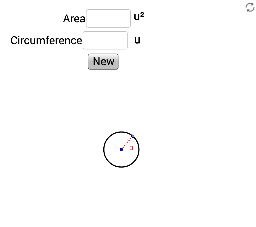
This example demonstrates how to use 3.14 to calculate the area and circumference of a circle. Users can input the area or circumference of a randomly generated circle to check their calculations. Key mathematical concepts include the formulas for the area and circumference of a circle. GeoGebra commands used include Circle, Point, Segment, and Textfield. Suitable for middle school and above students for geometry construction and calculation practice.
GeoGebra Commands & Parameters
Circle(H, randomradius) → ePoint(e) → ISegment(H, I) → fTextfield(GetArea) → InputBox1Textfield(GetCircumference) → InputBox2
AI Drawing Prompt Reference
Draw a circle with center H and a random radius. Pick a point I on the circle and draw a line segment from H to I. In input box 1, enter the area of the circle; in input box 2, enter the circumference. Use 3.14 as the value of pi for your calculations.
The prompt above was compiled from the original drawing commands and is for reference only.