
Percentage Change
Loading the math board and drawing, please wait…
In collections
Prozentrechnung: Vermehrung und Verminderung
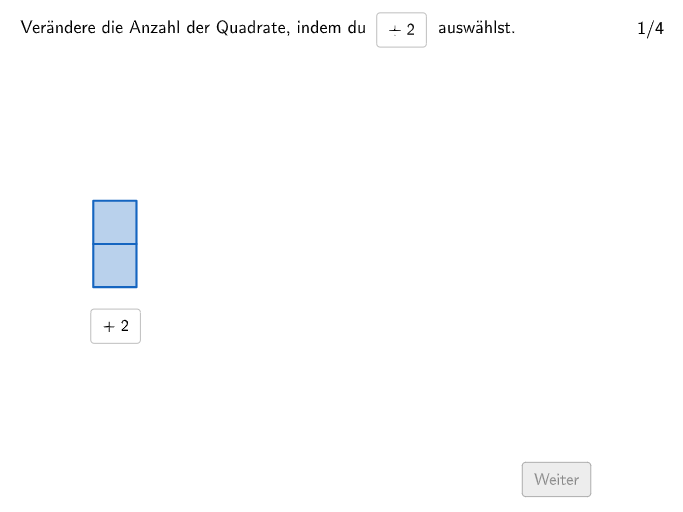
This example illustrates the concept of percentage change. It involves core mathematical concepts such as percentage calculation and rate of change. Using GeoGebra commands like Sequence, If, SelectedIndex, etc., it dynamically demonstrates percentage change in various scenarios. Suitable for middle school and above students.
GeoGebra Commands & Parameters
Sequence(Random[2, 3], m, 1, 110) → listposcorrect, {2, 2, 3, 2, 3, 3, 2, 3, 3, 2, 2, 2, 2, 3, 3, 2, 3, 3, 3, 2, 2, 3, 2, 3, 2, 3, 2, 3, 3, 3, 3, 3, 3, 3, 3, 2, 2, 2, 3, 3, 3, 2, 3, 2, 2, 3, 2, 2, 3, 2, 3, 3, 3, 3, 3, 2, 2, 3, 2, 2, 2, 2, 3, 2, 2, 3, 2, 3, 2, 2, 2, 3, 2, 2, 2, 2, 2, 3, 3, 2, 2, 3, 3, 2, 3, 3, 3, 3, 3, 3, 3, 2, 2, 3, 2, 3, 2, 2, 3, 2, 2, 3, 2, 2, 2, 3, 2, 2, 3, 2}If(exnum ≟ 4, 33, (numB / numA * 100)) → numCSelectedIndex(DropDown) → inputSequence(true, m, 1, maxstep) → listfixedTextfield(input1) → Eingabefeld1Textfield(input2) → Eingabefeld2If(exnum ≟ 3, 0.7, 1) → squaresizeSequence(O1 + (m * (0, squaresize)), m, 0, squarenum1 - 1) → l1Zip(Translate[Polygon[(0, 0), (squaresize, 0), (squaresize, squaresize), (0, squaresize)], P], P, l1) → v1Sequence(O2 + (m * (0, squaresize)), m, 0, squarenum2a - 1) → l2aSequence(O3 + (m * (0, squaresize)), m, 0, squarenum3 - 1) → l3Zip(Translate[Polygon[(0, 0), (squaresize, 0), (squaresize, squaresize), (0, squaresize)], P], P, l2a) → v2aZip(Translate[Polygon[(0, 0), (squaresize, 0), (squaresize, squaresize), (0, squaresize)], P], P, l3) → v3Sequence(O2 + (m * (0, squaresize)), m, squarenum2a, squarenum2a + squarenum2b - 1) → l2bZip(Translate[Polygon[(0, 0), (squaresize, 0), (squaresize, squaresize), (0, squaresize)], P], P, l2b) → v2bTranslate(Segment[(0, arrowheight), (squareabs - (2 * arrowabs) - squaresize, arrowheight)], O1 + (squaresize + arrowabs, 0)) → s1Translate(Segment[(0, arrowheight), (squareabs - (2 * arrowabs) - squaresize, arrowheight)], O2 + (squaresize + arrowabs, 0)) → s2
AI Drawing Prompt Reference
Create a dynamic illustration showing percentage change, featuring randomly generated sequences and squares of varying sizes to represent value changes, with arrows and text annotations indicating the rate of change. Start by drawing basic squares and arrows, then dynamically adjust square sizes and positions based on the sequence, and finally add text to explain the percentage calculation results.
The prompt above was compiled from the original drawing commands and is for reference only.