
Partners to Seven
Loading the math board and drawing, please wait…
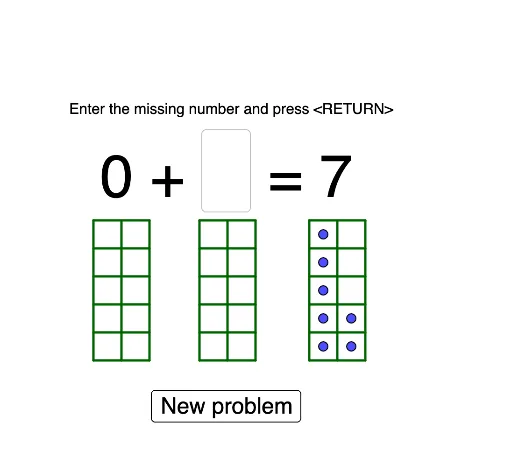
This GeoGebra example is designed for kindergarten and first-grade students to understand the concept of partners to 7. Using commands like Random and Sequence, it dynamically shows different pair combinations. The example involves addition and natural numbers, suitable for beginners.
GeoGebra Commands & Parameters
Random(0, sum - 1) → seed1Textfield(inputseed2) → InputBox1Sequence(Segment[B + (0, (i * edge)), B + (0, (i * edge)) + ((NumberPerRow * edge), 0)], i, 0, NumberPerColumn) → l1Sequence(Segment[B + ((i * edge), 0), B + ((i * edge), 0) + (0, (NumberPerColumn * edge))], i, 0, NumberPerRow) → l2Sequence(Segment[B_1 + (0, (i * edge_1)), B_1 + (0, (i * edge_1)) + ((NumberPerRow_1 * edge_1), 0)], i, 0, NumberPerColumn_1) → l1_1Sequence(Segment[B_1 + ((i * edge_1), 0), B_1 + ((i * edge_1), 0) + (0, (NumberPerColumn_1 * edge_1))], i, 0, NumberPerRow_1) → l2_1Sequence(Segment[B_2 + (0, (i * edge_2)), B_2 + (0, (i * edge_2)) + ((NumberPerRow_2 * edge_2), 0)], i, 0, NumberPerColumn_2) → l1_2Sequence(Segment[B_2 + ((i * edge_2), 0), B_2 + ((i * edge_2), 0) + (0, (NumberPerColumn_2 * edge_2))], i, 0, NumberPerRow_2) → l2_2
AI Drawing Prompt Reference
Create a dynamic illustration showing pair combinations that sum to seven, featuring a grid of horizontal and vertical lines generated by sequences, with random selections highlighting different pairings to demonstrate the concept of addition for beginners.
The prompt above was compiled from the original drawing commands and is for reference only.