
Parallelogram Space
Loading the math board and drawing, please wait…
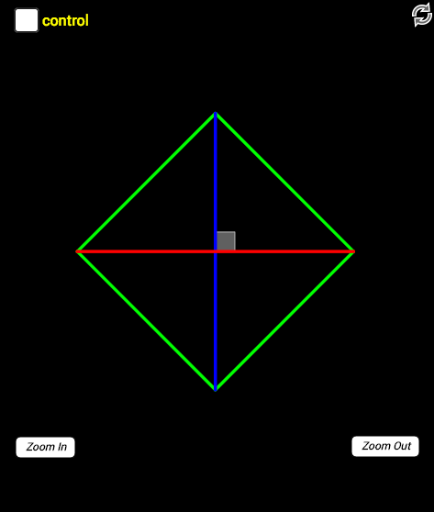
This example demonstrates the geometric construction and properties of a parallelogram in space. It involves core math concepts like parallelograms, integers, quadrilaterals, incircle, trigonometry, and logic. The construction uses commands and objects such as Segment, CircleArc, Semicircle, Point, Mirror, Angle, Min, Max from GeoGebra. Suitable for high school mathematics education to understand the geometric properties and related mathematical applications of parallelograms.
GeoGebra Commands & Parameters
Segment(B, A) → tCircleArc(A, J, B) → dSemicircle(B, C) → cPoint(d) → EMirror(E, A) → E'Point(t) → DMirror(D, A) → D'Segment(E, D) → gSegment(D, E') → hSegment(E', D') → iSegment(D', E) → jSegment(D, D') → kSegment(E, E') → lAngle(E, A, D') → αAngle(E, A, D) → βMin(α, β) → minAngleMax(α, β) → maxAngleMirror(I, A) → I'Mirror(H, A) → H'Segment(I, H) → mSegment(H, I') → nSegment(I', H') → pSegment(I, H') → qSegment(H, H') → rSegment(I, I') → sAngle(I, A, H) → γAngle(H', A, I) → δMax(γ, δ) → maxAngle1Min(γ, δ) → minAngle1
AI Drawing Prompt Reference
Draw a parallelogram in space to demonstrate its geometric construction and properties. Start by drawing two parallel line segments, then draw an arc with one segment as the chord, find the intersection points with the other segment, and draw a semicircle with the intersection point as the center. Construct the four sides and two diagonals of the parallelogram by mirroring and connecting these points. Finally, measure and label the two acute angles, and draw the incircle and related geometric elements to show the geometric properties and relationships with trigonometry and logic.
The prompt above was compiled from the original drawing commands and is for reference only.