
Ordnungskette - Level 1: Integer Comparison and Sorting with GeoGebra
Loading the math board and drawing, please wait…
In collections
Ordnen und Vergleichen von ganzen Zahlen
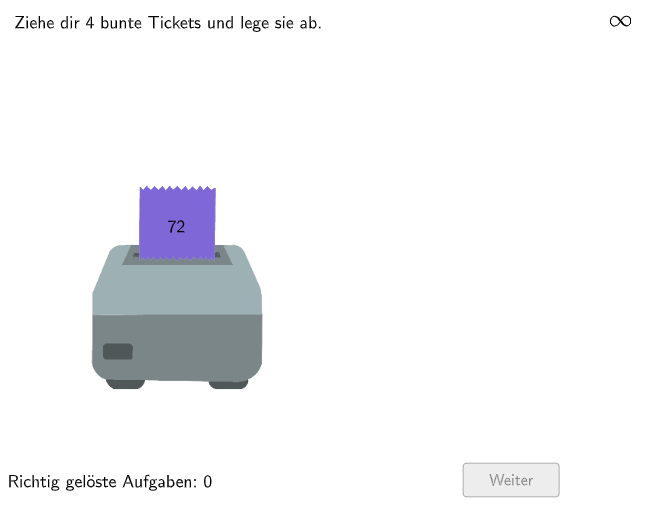
This example demonstrates how to compare and sort integers using a number line in GeoGebra. Key mathematical concepts include integer comparison, number line application, and interpreting integers in real-world contexts. Construction involves commands like Join, Shuffle, Polygon, IsInRegion, Sequence, and Sort to create the number line and integer points, and to perform sorting and region checks. Suitable for elementary students in grades 5-6 to practice integer comparison and sorting, while developing geometric intuition and mathematical thinking.
GeoGebra Commands & Parameters
Join(Sequence[Shuffle[{1, 2}], k, 1, 50]) → ModusListeShuffle({1, 2, 3, 4, 5, 6, 7, 8, 9, 10, 11, 12, 13, 14, 15}) → RandoNumListe, {11, 2, 3, 10, 9, 6, 1, 7, 13, 4, 15, 12, 8, 5, 14}Polygon(Q1E1, Q1E2, 4) → Box1, f, g, h, i, Q1E3, Q1E4IsInRegion(PosZettel4, Box1) → Z4inB1IsInRegion(PosZettel2, Box1) → Z2inB1IsInRegion(PosZettel1, Box1) → Z1inB1IsInRegion(PosZettel3, Box1) → Z3inB1Polygon(Q2E1, Q2E2, 4) → Box2, j, k, l, m, Q2E3, Q2E4IsInRegion(PosZettel4, Box2) → Z4inB2IsInRegion(PosZettel2, Box2) → Z2inB2IsInRegion(PosZettel1, Box2) → Z1inB2IsInRegion(PosZettel3, Box2) → Z3inB2Polygon(Q3E1, Q3E2, 4) → Box3, n, p, q, r, Q3E3, Q3E4IsInRegion(PosZettel4, Box3) → Z4inB3IsInRegion(PosZettel2, Box3) → Z2inB3IsInRegion(PosZettel1, Box3) → Z1inB3IsInRegion(PosZettel3, Box3) → Z3inB3Polygon(Q4E1, Q4E2, 4) → Box4, s, t, a, b, Q4E3, Q4E4IsInRegion(PosZettel4, Box4) → Z4inB4IsInRegion(PosZettel2, Box4) → Z2inB4IsInRegion(PosZettel1, Box4) → Z1inB4IsInRegion(PosZettel3, Box4) → Z3inB4Shuffle({1, 2}) → ZufallslisteZettel1, {2, 1}Shuffle({1, 2}) → ZufallslisteZettel2, {1, 2}Shuffle({1, 2}) → ZufallslisteZettel3, {2, 1}Shuffle({1, 2}) → ZufallslisteZettel4, {1, 2}Sequence(RandomElement[Join[{-100…-1, -100…100}]], k, 1, 100) → GZList1, {-1, -71, -81, -44, -97, 14, -3, 93, -31, 11, -49, 76, -96, -97, -59, -22, 5, -27, 70, -48, -35, -65, -85, 68, -18, 83, 30, 82, -19, -43, -30, -23, -67, -85, -34, 53, -75, -71, -45, 85, 91, -87, 82, 65, -43, -40, -84, -5, -38, -26, 1, -9, 58, -1, -9, -6, -97, -49, -37, -36, 14, -68, -6, -2, 92, -75, 28, -66, 59, -43, -68, 7, 11, -24, -68, -80, 67, -72, -20, 80, -90, -53, -86, 64, -60, 76, -79, -70, -10, -85, -10, -53, -51, -33, 34, -14, -70, 85, -39, 38}Sequence(RandomElement[Join[{Remove[-100…-1, {GZList1(k)}], Remove[-100…100, {GZList1(k)}]}]], k, 1, 100) → GZList2, {65, -36, 71, -61, -28, 15, 82, -15, 12, 64, -44, 71, -40, -69, -49, -14, -43, -7, 99, 86, -76, -82, -75, -36, -34, -87, 9, 3, -22, 70, -15, -30, 33, -72, -39, -53, 97, -33, 7, 23, 60, -4, -71, -15, -75, -87, -59, 69, -98, -44, 91, -20, -67, -54, -86, 96, 10, -83, -76, -20, -40, 79, 25, -10, -46, -57, 65, 96, 99, 26, -66, -52, -35, -97, -44, -47, -38, -29, 67, -91, -75, -55, -41, 1, 6, 12, -73, 74, -16, 4, 66, -91, -75, 43, -13, -71, 49, -72, -36, -74}Sequence(RandomElement[Join[{Remove[-100…-1, {GZList1(k), GZList2(k)}], Remove[-100…100, {GZList1(k), GZList2(k)}]}]], k, 1, 100) → GZList3, {-90, -86, 55, -35, -17, 97, 5, -51, -79, 62, 46, -13, -74, 90, -81, 61, 24, -93, -94, -43, -18, -29, -78, 97, 18, 46, -29, -67, -6, 38, -87, -11, -39, -67, -8, 61, 56, 52, 35, 19, 1, -20, -59, 81, -59, 49, -19, 82, -100, -87, -94, -23, 92, -15, -58, -22, 72, -31, -16, -21, 24, 21, 52, 10, -68, 50, -46, 65, 82, -96, -22, -89, -31, 38, -14, 63, -83, 19, 9, -27, 84, -50, -15, -67, -97, -83, -6, -98, -6, -41, -96, -52, 80, -65, -36, -31, -2, -46, -3, 48}Sequence(RandomElement[Join[{Remove[-100…-1, {GZList1(k), GZList2(k), GZList3(k)}], Remove[-100…If[CountIf[a > 0, a, {GZList1(k), GZList2(k), GZList3(k)}] > 2, -1, 100], {GZList1(k), GZList2(k), GZList3(k)}]}]], k, 1, 100) → GZList4, {72, 23, -91, -12, -38, -41, -92, -44, -49, -66, -3, 22, -77, -51, -13, 12, -20, 4, -27, -20, 10, -54, 41, 99, -53, -4, -45, -62, -96, -94, -20, -62, 46, 1, 1, -68, -55, 87, 66, -16, -24, -78, 23, 80, -15, -2, -71, -72, -66, -18, -85, -65, -61, 79, -46, -13, -85, -93, -12, -61, -17, -81, 84, 98, -56, 83, 5, -8, -14, -76, -13, -27, -62, 97, 79, -78, 76, 29, -78, -12, 39, -66, -79, 75, -44, -50, 15, -78, -76, -32, -41, -1, -66, 10, 80, -42, -41, -17, -53, 54}Sort({GZ1, GZ2, GZ3, GZ4}) → Reihenfolge1Reverse(Reihenfolge1) → Reihenfolge2If(Z1inB1, 1, Z2inB1, 2, Z3inB1, 3, Z4inB1, 4, NaN) → BT1If(Z1inB2, 1, Z2inB2, 2, Z3inB2, 3, Z4inB2, 4, NaN) → BT2If(Z1inB3, 1, Z2inB3, 2, Z3inB3, 3, Z4inB3, 4, NaN) → BT3If(Z1inB4, 1, Z2inB4, 2, Z3inB4, 3, Z4inB4, 4, NaN) → BT4Sequence(IndexOf[If[modus ≟ 1, Reihenfolge1(k), Reihenfolge2(k)], ZahlenListe], k, 1, 4) → ReihenfolgeKorrektPolygon(Z1VieleckE1, Z1VieleckE2, Zettel1Anchor_1, Z1VieleckH, Z1VieleckE3, Z1VieleckE4) → Vieleck1, z1vielecke1, z1vielecke2, zettel1anchor_1, z1vieleckh, z1vielecke3, z1vielecke4Polygon(Z2VieleckE1, Z2VieleckE2, Zettel2Anchor_1, Z2VieleckH, Z2VieleckE3, Z2VieleckE4) → Vieleck2, z2vielecke1, z2vielecke2, zettel2anchor_1, z2vieleckh, z2vielecke3, z2vielecke4Polygon(Z3VieleckE1, Z3VieleckE2, Zettel3Anchor_1, Z3VieleckH, Z3VieleckE3, Z3VieleckE4) → Vieleck3, z3vielecke1, z3vielecke2, zettel3anchor_1, z3vieleckh, z3vielecke3, z3vielecke4Polygon(Z4VieleckE1, Z4VieleckE2, Zettel4Anchor_1, Z4VieleckH, Z4VieleckE3, Z4VieleckE4) → Vieleck4, z4vielecke1, z4vielecke2, zettel4anchor_1, z4vieleckh, z4vielecke3, z4vielecke4Text(FeedbackText, A, false, true, 0) → Text3Text((("\textsf{\(" * GZ1) * "\)}"), Midpoint[Z1VieleckE1, Z1VieleckE3], false, true, 0, 0) → GZ1TextText((("\textsf{\(" * GZ2) * "\)}"), Midpoint[Z2VieleckE1, Z2VieleckE3], false, true, 0, 0) → GZ2TextText((("\textsf{\(" * GZ3) * "\)}"), Midpoint[Z3VieleckE1, Z3VieleckE3], false, true, 0, 0) → GZ3TextText((("\textsf{\(" * GZ4) * "\)}"), Midpoint[Z4VieleckE1, Z4VieleckE3], false, true, 0, 0) → GZ4TextPolygon(Q1E1, Q4E4, Q4E4 + (0, -7.75), Q1E1 + (0, -7.75)) → DDArea, q1e1, q4e4, c, d
AI Drawing Prompt Reference
Create an integer sorting practice interface with a number line. Generate four random integer labels on four draggable rectangular cards. Below, place four target boxes corresponding to sorting positions. Users drag cards into correct boxes; the system checks region containment and provides feedback. Numbers are randomly generated, and sorting order (ascending or descending) is randomly chosen. Include feedback text and rectangular drop zones.
The prompt above was compiled from the original drawing commands and is for reference only.