
Nested Triangles with 4-Fold Rotational Symmetry
Loading the math board and drawing, please wait…
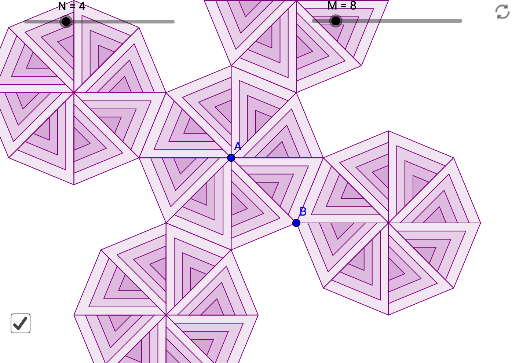
This example demonstrates a nested triangle pattern with 4-fold rotational symmetry. Key mathematical concepts include rotational symmetry and geometric construction. Using GeoGebra commands such as Rotate, Midpoint, and Sequence, one can construct polygons with specific symmetries. Suitable for high school mathematics education and learning about rotational symmetry.
GeoGebra Commands & Parameters
Rotate(B, (360 * ° / M), A) → B'Midpoint(A, B) → CSequence(Polygon[C + (i / N * (A - C)), C + (i / N * (B' - C)), C + (i / N * (B - C))], i, 1, N) → list1Sequence(Rotate[list1, ((i * 360) * ° / M), A], i, 1, M) → list2Segment(B, B') → fMirror(A, f) → A'stellagon(A', B', M, N) → list3Sequence(Rotate[list3, (((b * i) * 360) * ° / M), A], i, 1, floor(M / b)) → list7
AI Drawing Prompt Reference
Draw a nested triangle pattern with four-fold rotational symmetry by rotating a triangle to create four copies, finding midpoints of the sides, constructing small polygons using these midpoints and triangle vertices, arranging and rotating these polygons around the center, and finally mirroring and further rotating to achieve the final nested design with clear four-fold rotational symmetry.
The prompt above was compiled from the original drawing commands and is for reference only.