
Multiplication Array by brownh (2)
Loading the math board and drawing, please wait…
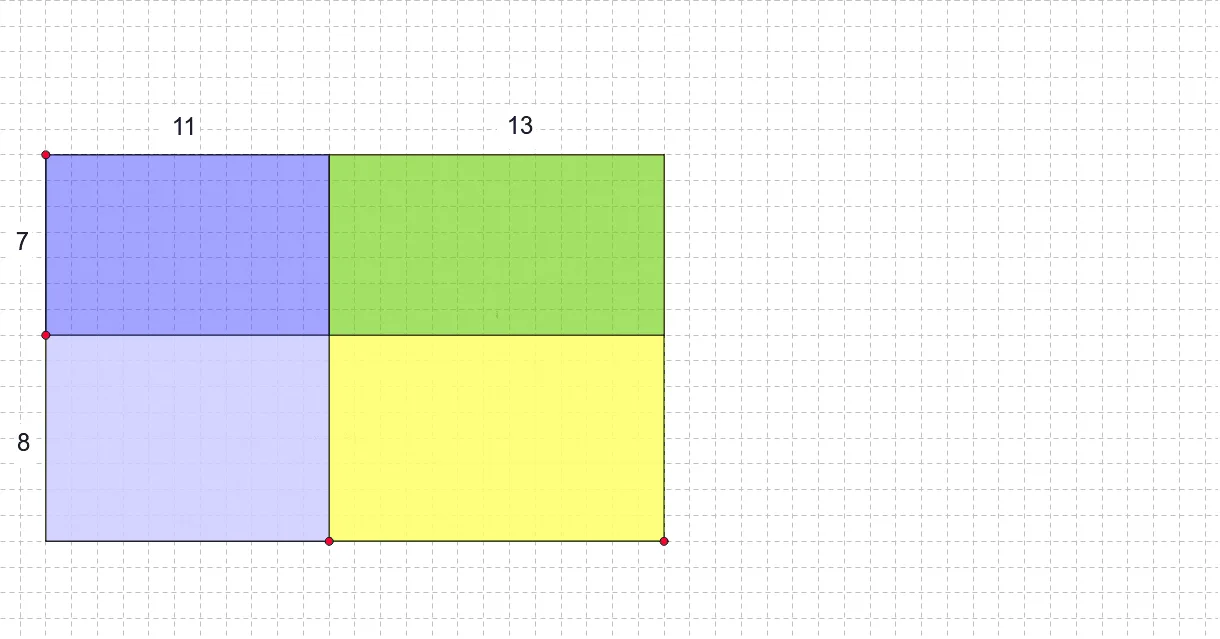
This activity explores partial products. It involves the core concept of multiplication and uses GeoGebra commands such as Intersect, Point, Segment, etc., for geometric construction. Suitable for upper elementary or middle school students to learn about multiplication and partial products.
GeoGebra Commands & Parameters
Intersect(xAxis, yAxis) → APoint(xAxis) → BSegment(A, B) → aPoint(yAxis) → CSegment(A, C) → bLine(C, a) → cLine(B, b) → dIntersect(c, d) → DPoint(b) → FLine(F, a) → fPoint(a) → ELine(E, b) → eIntersect(f, e) → GIntersect(c, e) → HIntersect(d, f) → IPolygon(C, H, G, F) → poly1, c_1, h, g, f_1Polygon(G, H, D, I) → poly2, g_1, h_1, d_1, iPolygon(G, I, B, E) → poly3, g_2, i_1, b_1, e_1Polygon(G, E, A, F) → poly4, g_3, e_2, a_1, f_2Segment(C, D) → jSegment(I, B) → kSegment(D, I) → lSegment(B, E) → mSegment(E, A) → nSegment(A, F) → pSegment(F, C) → qSegment(F, G) → rSegment(G, I) → sIntersect(c_1, h) → JSegment(E, J) → tDistance(H, D) → distanceHDDistance(C, H) → distanceCHDistance(C, F) → distanceCFDistance(F, A) → distanceFADistance(D, B) → distanceDB
AI Drawing Prompt Reference
Draw a multiplication array with two vertical axes and four points on each axis, forming four rectangles. Start by drawing the two axes, then select four points on each axis to form four rectangles. Finally, connect the sides of the rectangles to ensure they are perpendicular to each other.
The prompt above was compiled from the original drawing commands and is for reference only.