
Mirror Symmetry
Loading the math board and drawing, please wait…
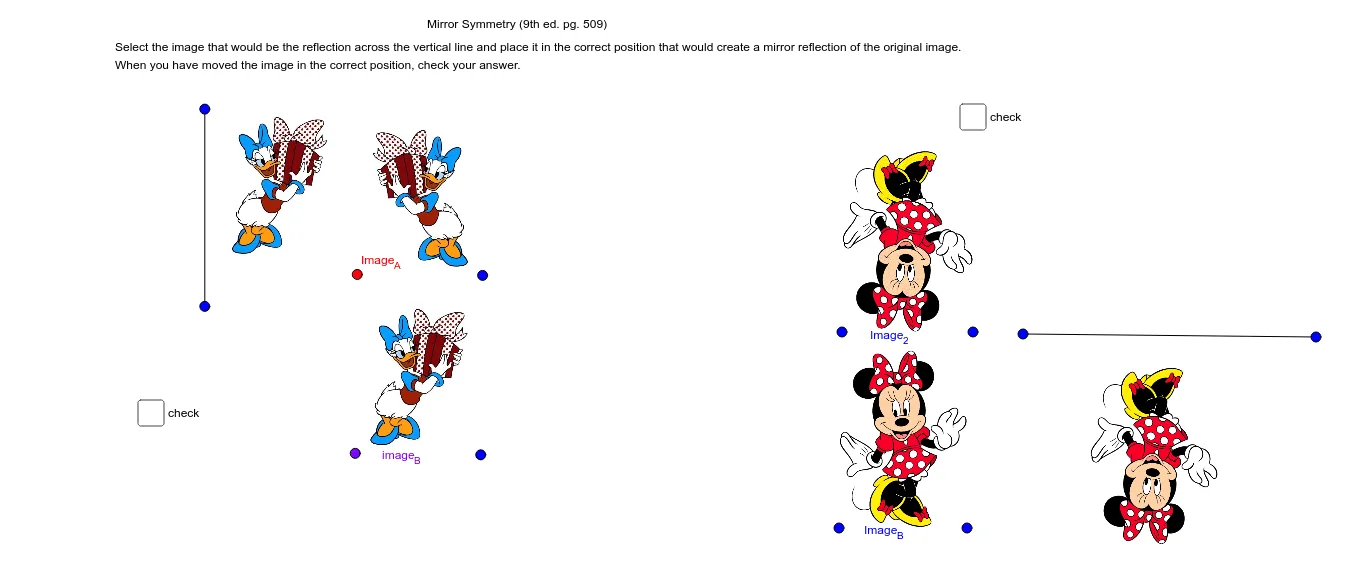
This example demonstrates the concept of mirror symmetry. By constructing the mirror image of two points, it illustrates the properties of symmetric figures. It uses commands like Segment and Mirror, suitable for middle school and above students learning geometric transformations.
GeoGebra Commands & Parameters
Segment(C, D) → aMirror(pic1, a) → pic1'Segment(I, J) → cMirror(pic2, c) → pic2'
AI Drawing Prompt Reference
Draw a straight line as the axis of symmetry. Place two points on one side of the line and connect them with a segment. Then construct the mirror images of these two points on the opposite side of the line, ensuring they are symmetric with respect to the line. Connect the mirrored points with a dashed segment. Place a simple shape (like a polygon or icon) on this new segment, and then draw its mirror image across this segment. The final figure shows two shapes each reflected over a different line, illustrating the concept of mirror symmetry.
The prompt above was compiled from the original drawing commands and is for reference only.