
Measuring Angles with a Protractor
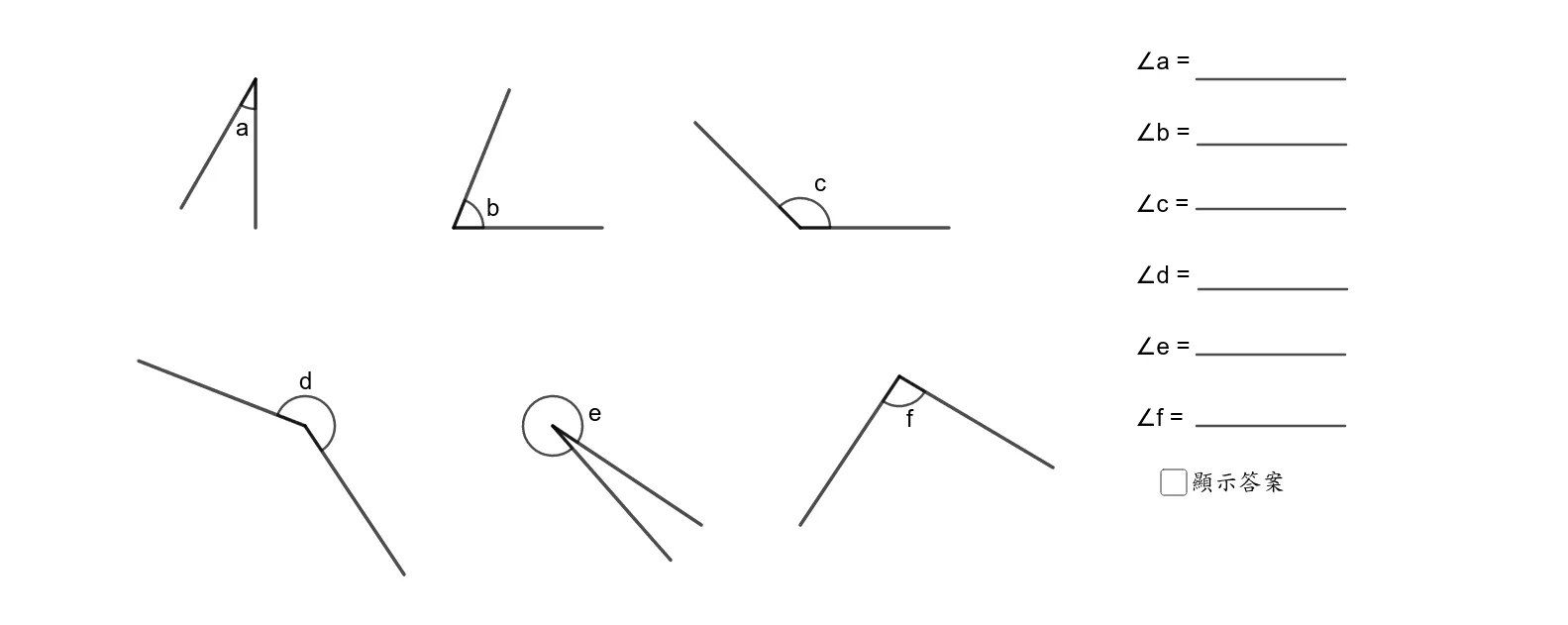
This GeoGebra applet demonstrates how to use a protractor to measure various angles. By constructing multiple points, segments, and angles and utilizing commands like Rotate and Angle, it visually illustrates the application of a protractor in geometric measurement. This interactive resource is ideal for basic geometry education, helping students grasp the concept of angles and the correct usage of a protractor. The applet constructs several labeled angles such as alpha, beta, gamma, delta, epsilon, and zeta, allowing learners to explore angle measurement from different orientations and magnitudes. Through dynamic manipulation, students can rotate elements and observe how angle measures change in real time, reinforcing their understanding of angular relationships in the plane. The step-by-step visual approach supports learners at all levels, making abstract concepts tangible and engaging. Teachers can use this tool in classroom settings to introduce angle terminology, demonstrate proper protractor alignment techniques, and provide guided practice that builds student confidence in geometric reasoning.
Loading the math board and drawing, please wait…