
Geometric Construction: Drawing a Trapezoid (Problem 4)
This GeoGebra applet, titled Geometric Construction: Drawing a Trapezoid (Problem 4), provides a comprehensive and interactive demonstration of how to construct a trapezoid using precise geometric principles. Designed for middle and high school plane geometry curricula, the applet transitions students from static textbook diagrams to a dynamic, step-by-step digital construction environment.
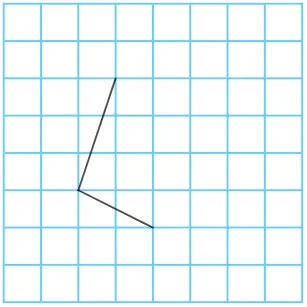
At its core, the applet utilizes fundamental GeoGebra commands such as Point, Segment, Polygon, Rotate, and Angle to dynamically build the vertices and sides of the trapezoid. Rather than simply presenting a finished shape, the application breaks down the construction process into logical, sequential steps. Users can observe how initial points are established, how segments are drawn to form the bases and legs, and how rotational transformations and angle constraints are applied to ensure the defining property of a trapezoid, which is that at least one pair of opposite sides is strictly parallel. The use of the Polygon command ultimately closes the figure, allowing for the immediate visual and numerical analysis of the shape.
Interactivity is a key feature of this educational tool. The applet includes intuitive button controls and sequence generation capabilities that allow learners to dictate the pace of the lesson. Students can play the construction automatically, pause to examine specific geometric relationships, or step through the sequence one command at a time. This controlled pacing is crucial for cognitive processing, enabling students to fully grasp the rationale behind each construction step before moving on to the next. Additionally, a reset button allows users to restart the process and reinforce their understanding through repetition.
The mathematical concepts explored extend beyond basic shape recognition. By engaging with this applet, students delve into the fundamental properties of trapezoids, including the relationships between base angles, the behavior of diagonals, and the implications of parallel lines intersected by transversals. The dynamic nature of the construction also allows for exploratory learning, empowering students to manipulate the figure and observe how changes in base length or leg angles affect the overall geometry while maintaining the strict trapezoidal constraints.
Ultimately, this applet serves as an invaluable resource for both teaching and independent exploration. It bridges the gap between traditional compass and straightedge methods and modern dynamic geometry software. For educators, it provides a clear, visual aid to demonstrate complex construction problems. For students, it fosters deeper spatial reasoning, improves their understanding of geometric logic, and builds confidence in tackling advanced plane geometry problems involving quadrilaterals and geometric transformations.
In collections
Drawing Trapezoids in GeoGebra
Loading the math board and drawing, please wait…