
Geometric Construction: Drawing a Trapezoid Problem 1
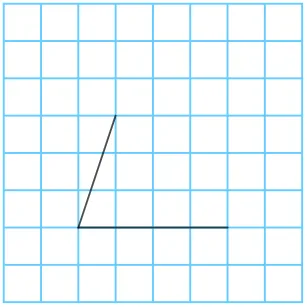
This GeoGebra applet demonstrates the geometric construction of a trapezoid. It dynamically builds the vertices and sides of a trapezoid using fundamental commands such as Point, Segment, Polygon, Rotate, and Angle. The construction process is interactive and visual, allowing students to see each step of how a trapezoid is formed from basic geometric elements. The applet features button controls that guide users through a sequence of construction steps, making it easy to follow along and understand the logical order of creating a trapezoid from scratch. Students can manipulate points and observe how the shape responds in real time, reinforcing their understanding of the defining properties of a trapezoid, including the requirement of at least one pair of parallel sides. This tool is ideal for plane geometry education, particularly for learners who benefit from visual and interactive approaches to mastering geometric constructions. By engaging with the applet, students develop a deeper, intuitive grasp of trapezoid properties and the step-by-step reasoning involved in classical geometric construction, bridging the gap between abstract definitions and concrete visual understanding.
In collections
Drawing Trapezoids in GeoGebra
Loading the math board and drawing, please wait…