
Max Area with Fixed Perimeter
Loading the math board and drawing, please wait…
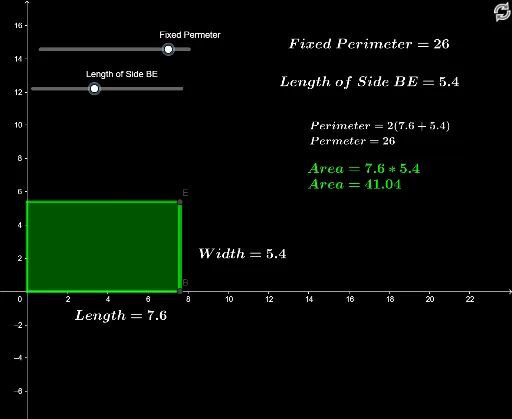
This example demonstrates how to obtain the maximum area with a fixed perimeter. Key mathematical concepts include area and perimeter. Using GeoGebra commands such as Intersect, OrthogonalLine, and Polygon, different shapes are constructed and their areas are observed. Suitable for students at the middle school level and above to learn about area optimization problems.
GeoGebra Commands & Parameters
Intersect(c, yAxis) → C, DOrthogonalLine(D, yAxis) → fOrthogonalLine(B, xAxis) → gIntersect(f, g) → EPolygon(A, B, E, D) → q1, a, b, e, dPointIn(q1) → Pointq1Midpoint(a) → FMidpoint(b) → G
AI Drawing Prompt Reference
Draw a shape with the maximum area given a fixed perimeter. Start by drawing a horizontal line segment AB, then draw a vertical line segment DE perpendicular to AB, followed by a vertical line segment FG perpendicular to DE. Find the intersection point E of FG and AB. Use points A, B, E, and D to form a quadrilateral, and finally place a random point inside this quadrilateral.
The prompt above was compiled from the original drawing commands and is for reference only.