
Magic Point 6: Slider‑Driven Linear Interpolation Between A and B
Loading the math board and drawing, please wait…
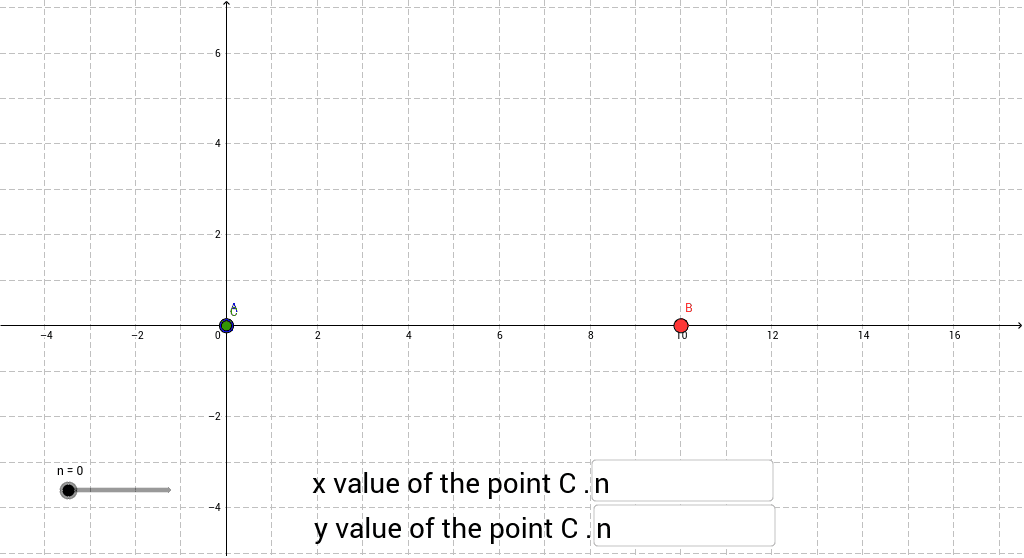
① This example shows a point C moving continuously between two fixed points A and B as a slider n varies, illustrating linear interpolation (weighted average) in real time. ② Core mathematical concepts: coordinate representation in analytic geometry, parametric equations, linear combination of vectors, and slider‑based animation control. ③ Construction highlights: Textfield creates input boxes inputBox1 and inputBox2 for coordinates; the If command computes C’s coordinates (a,b) = (1‑n)·A + n·B based on the slider value; objects involved are points A, B, C, slider n, and parameters a, b, c. ④ Suitable for high‑school analytic geometry/vector lessons, middle‑school coordinate‑graph demonstrations, or as an introductory GeoGebra animation resource.
GeoGebra Commands & Parameters
Textfield(a) → inputBox1Textfield(b) → inputBox2If(b > 0, 0 * n + b, b) → c
AI Drawing Prompt Reference
Create two fixed points whose coordinates can be entered via input boxes; add a slider ranging from 0 to 1; then define a moving point that linearly interpolates between the two fixed points using the slider value as the weight, so its position updates in real time as the slider is dragged. The moving point’s coordinates are computed as (1‑t) times the first point plus t times the second point, where t is the slider value.
The prompt above was compiled from the original drawing commands and is for reference only.