
Linear Equation Generator (4 Difficulty Levels)
Loading the math board and drawing, please wait…
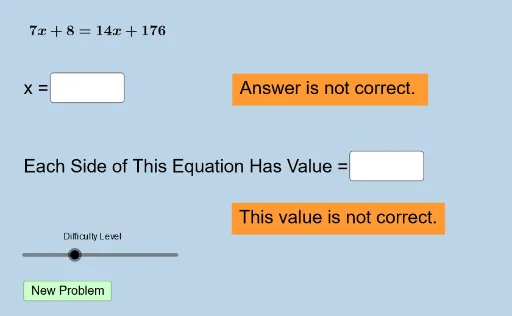
This interactive GeoGebra example is a problem generator for linear equations, producing random practice questions across four difficulty levels. It demonstrates how to dynamically create algebraic exercises using randomization and user input. Core math concepts include linear equations in one variable, equation transformation, moving terms, combining like terms, and solving for the unknown. The construction uses GeoGebra commands such as Random, RandomElement, Sequence, and Union to generate random coefficients and constants, while Textfield and InputBox objects allow users to type answers. Key objects include lists (list1, list2, list3) storing random values, variables (a, b, c, d) for coefficients, text objects (text1–text9) for displaying questions and feedback, and answer variables (ans1–ans4). A button (button1) triggers new problem generation. Suitable for middle school math classes or self-study, this tool helps students practice solving linear equations with immediate feedback and adjustable difficulty.
GeoGebra Commands & Parameters
Union(list1, list2) → list3RandomElement(list3) → aSequence(i, i, a + 1, 35, 1) → listrightSequence(i, i, -35, a - 1, 1) → listleftUnion(listleft, listright) → listeRandomElement(list3) → bRandom(-30, 30) → wRandomElement(liste) → eRandomElement(liste) → mRandomElement(list3) → nRandomElement(list3) → pRandomElement(list3) → qTextfield(ans1) → InputBox1Textfield(varx) → InputBox6Textfield(ans2) → InputBox2Textfield(ans3) → InputBox3Textfield(ans4) → InputBox4Sequence(i, i, -35, 35, 0.5) → list5
AI Drawing Prompt Reference
Create a linear equation practice problem with four difficulty levels. First, randomly generate four coefficients a, b, c, d, and a series of random numbers as constants. Then, based on these random numbers, generate a series of positive and negative numbers to form the left and right sides of the equation. Users need to input the value of x and enter their answers in the input boxes. Generate a question text to display the equation and input boxes for users to solve.
The prompt above was compiled from the original drawing commands and is for reference only.