
Law of Sines Investigation: Dynamic Triangle Exploration
Loading the math board and drawing, please wait…
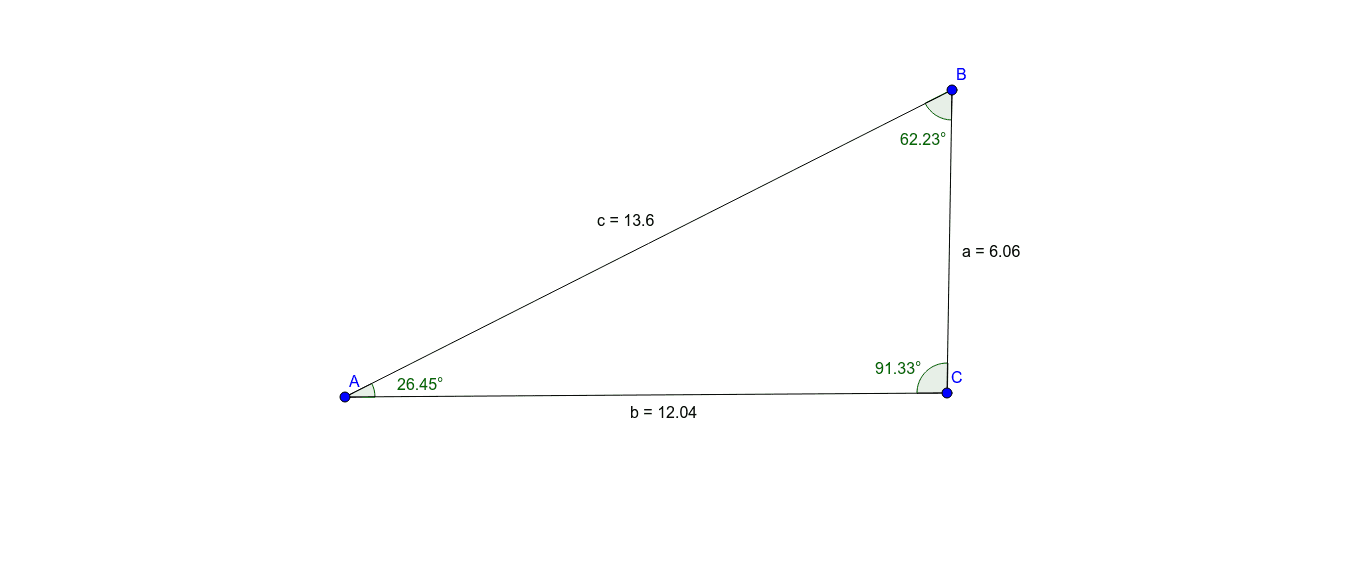
This GeoGebra example presents an interactive triangle where users can drag vertices to explore the Law of Sines, demonstrating that the ratio of each side length to the sine of its opposite angle remains constant. The core mathematical concept is the Law of Sines (a/sinα = b/sinβ = c/sinγ), involving triangle angle sum, correspondence between sides and opposite angles, and proportional invariance. Construction details: using GeoGebra commands Segment for sides (objects A, B, c, C, a, b) and Angle for interior angles (objects α, Angle, γ), with draggable vertices enabling real-time updates of side lengths and angle measures. This resource is ideal for high school students learning trigonometry and triangle solving, as well as for teachers demonstrating the theorem dynamically in class. It supports inquiry-based learning by allowing students to verify the constant ratio across various triangle shapes.
GeoGebra Commands & Parameters
Segment(A, B) → cSegment(B, C) → aSegment(C, A) → bAngle(C, A, B) → αAngle(A, B, C) → AngleAngle(B, C, A) → γ