
Law of Cosines Investigation
Loading the math board and drawing, please wait…
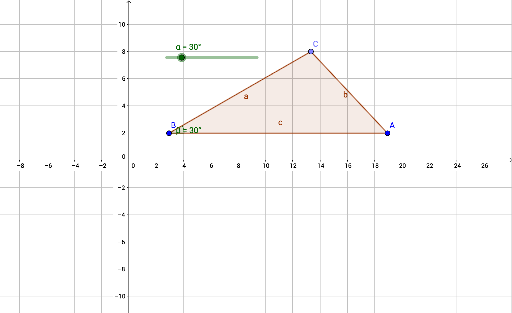
This example demonstrates the geometric meaning of the Law of Cosines by dynamically adjusting the sides of a triangle to explore the relationship between angles and side lengths. Core mathematical concepts include the Law of Cosines, triangle geometry, and the connection between angles and sides. It uses GeoGebra commands like Rotate, Angle, Segment, Point, and Polygon. Suitable for high school mathematics teaching or student exploration of geometric theorems.
GeoGebra Commands & Parameters
Rotate(A, α, B) → A'Angle(A, B, A') → βSegment(B, A') → fPoint(f) → CPolygon(A, B, C) → poly1, c, a, b
AI Drawing Prompt Reference
Draw a triangle ABC. Rotate point A to get A', measure angle BAA' to get angle β, draw line segment f from B to A', pick a point C on line segment f, and finally draw triangle poly1 with points A, B, and C.
The prompt above was compiled from the original drawing commands and is for reference only.