
Key Lines Inside a Triangle: Construction and Intersection Study
Loading the math board and drawing, please wait…
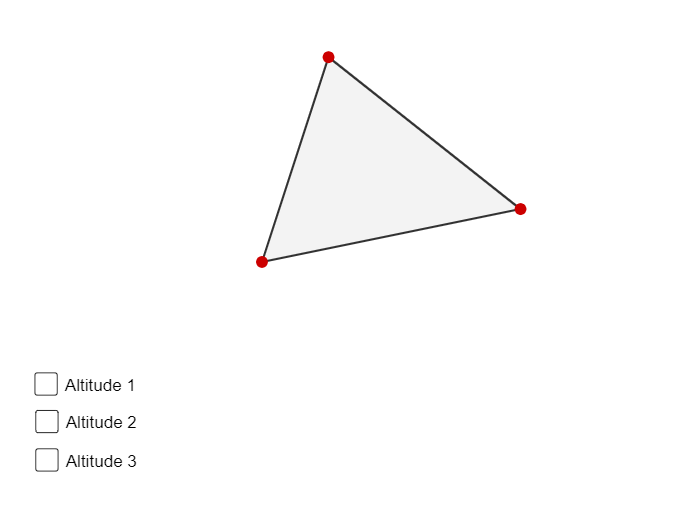
This example demonstrates how to construct several important lines inside a general triangle and how their intersection points and resulting segments reveal the underlying geometric structure. It centers on standard geometry-construction ideas: orthogonality via orthogonal lines (OrthogonalLine), computing intersection points of lines (Intersect), and forming/inspecting segments (Segment) generated from those intersections. The construction workflow uses Polygon to create triangle ABC, OrthogonalLine to draw perpendiculars tied to chosen sides/lines, Intersect to locate where constructed lines meet, and Segment to define measurable links between relevant points. The model includes the triangle vertices A, B, C and multiple intermediate points/intersections (e.g., D, E, F and parameterized objects such as t1, c, a, b) to enable dynamic exploration. Suitable for middle and high school geometry instruction, classroom demonstrations, and student investigations in dynamic geometry.
GeoGebra Commands & Parameters
Polygon(A, B, C) → t1, c, a, bOrthogonalLine(A, a) → fOrthogonalLine(C, c) → gOrthogonalLine(B, b) → hIntersect(h, b) → DIntersect(f, a) → EIntersect(g, c) → FSegment(B, D) → jSegment(A, E) → kSegment(C, F) → l
AI Drawing Prompt Reference
Draw a triangle and construct perpendicular lines from the outside of each side, finding their intersections with the triangle's sides. Connect these intersection points to the triangle's vertices to form three line segments, highlighting the geometric structure revealed by these segments and points.
The prompt above was compiled from the original drawing commands and is for reference only.