
Isosceles Triangle Demonstration by olperocchi02
Loading the math board and drawing, please wait…
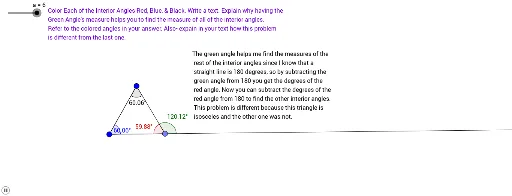
This example demonstrates the properties and criteria of isosceles triangles. It involves core mathematical concepts such as the definition of isosceles triangles, angle bisectors, symmetry, and the geometric relationship between circles and triangles. The construction utilizes commands and objects like Polygon, Point, Segment, Line, Angle, Midpoint, Ray, OrthogonalLine, Mirror, and Circle. It is suitable for high school geometry education, helping students visually understand the geometric characteristics and construction methods of isosceles triangles.
GeoGebra Commands & Parameters
Polygon(C, A, B) → poly1, b, c, a_1Point(Circle[D, 8]) → ESegment(D, E) → fPoint(Circle[D, 8]) → FSegment(D, F) → gPoint(Circle[F, 8]) → GSegment(F, G) → hLine(D, E) → iPolygon(D, F, G) → poly2, g_1, d, f_1Polygon(D, F, E) → poly3, e, d_1, f_2Segment(D, E) → jAngle(D, E, F) → αAngle(E, F, D) → βAngle(E, G, F) → γAngle(F, D, E) → δMidpoint(H, I) → JRay(H, J) → kOrthogonalLine(J, k) → lPoint(l) → KSegment(K, H) → mSegment(K, I) → nPoint(k) → LAngle(L, I, K) → εMirror(M, N) → M'Segment(M, M') → pOrthogonalLine(N, p) → qPoint(q) → OSegment(M, O) → rSegment(M', O) → sSegment(M', M) → tRay(M, O) → h_1Point(h_1) → PAngle(P, O, M') → ζCircle(Q, R) → c_1Point(c_1) → SPoint(c_1) → TSegment(S, Q) → i_1Segment(Q, T) → j_1Segment(T, S) → k_1Line(U, V) → l_1Point(l_1) → WOrthogonalLine(W, l_1) → m_1Point(m_1) → ZSegment(Z, V) → n_1Segment(V, U) → p_1Mirror(V, m_1) → V'Mirror(V, m_1) → V'_1Segment(Z, V') → q_1Segment(V', V) → r_1Point(Circle[A_1, 4]) → B_1Segment(A_1, B_1) → s_1Point(Circle[A_1, 4]) → C_1Segment(A_1, C_1) → t_1Segment(B_1, C_1) → b_1Angle(B_1, A_1, C_1) → ηAngle(C_1, B_1, A_1) → θAngle(A_1, C_1, B_1) → ιAngle(D, F, G) → κAngle(E, D, F) → λAngle(F, E, G) → μAngle(H, K, I) → νAngle(I, H, K) → ξAngle(K, I, H) → οAngle(M, M', O) → ρAngle(O, M, M') → σAngle(M', O, M) → τ
AI Drawing Prompt Reference
Draw a demonstration of an isosceles triangle. Start with a triangle, then create a circle with a given radius from a point, pick points on the circle and connect them to form segments and additional triangles. Construct angle bisectors, midpoints, perpendicular lines, and use reflection to create symmetric points. Finally, draw a circle, pick points on it to form a triangle, then draw a line, construct a perpendicular to it, pick a point on the perpendicular, connect to form a triangle, and reflect a point across the perpendicular to show symmetry.
The prompt above was compiled from the original drawing commands and is for reference only.