
Isosceles Trapezoid Exploration
Loading the math board and drawing, please wait…
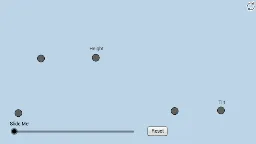
This applet allows students to informally discover properties of isosceles trapezoids with modifiable initial dimensions. Key concepts include angles, trapezoids, inequalities, linear regression, and function graphing. It is constructed using commands like Line, Ray, Point, Midpoint, Slope, OrthogonalLine, Mirror, Dilate, Segment, Circle, Intersect, CircleSector, Vector, Translate, Angle, Rotate, Polygon, making it suitable for high school mathematics education to explore symmetry, angle relationships, and functional applications.
GeoGebra Commands & Parameters
Line(A, B) → aRay(A, B) → bPoint(b) → CMidpoint(A, C) → DLine(A, C) → cSlope(c) → dOrthogonalLine(D, c) → gPoint(g) → ERay(D, E) → hPoint(h) → FSlope(h) → iLine(F, c) → lPoint(l) → GPoint(l) → HRay(F, G) → mRay(F, H) → nPoint(m) → IMirror(I, h) → I'Dilate(A, If[0 < o ≤ 1, 1 - o, 0], C) → A'Segment(A, A') → pDilate(A, If[1 < o ≤ 2, 2 - o, 0], I) → A'_1Segment(A, A'_1) → qSegment(A, C) → rSegment(C, I') → sSegment(I', I) → tSegment(I, A) → a_1Circle(A, (0.2 * Min[a_1, r])) → c_1Circle(I, (0.2 * Min[a_1, r])) → d_1Intersect(d_1, a_1, 1) → JIntersect(d_1, t, 1) → KIntersect(c_1, r, 1) → LIntersect(c_1, a_1, 1) → MCircleSector(A, L, M) → e_1CircleSector(I, J, K) → f_1Dilate(I, If[2 < o ≤ 3, 3 - o, 0], I') → I'_1Segment(I, I'_1) → b_1Dilate(A, If[3 < o ≤ 4, 4 - o, 0], C) → A'_2Vector(A, A'_2) → uTranslate(A, u) → A'_3Translate(A'_1, u) → NSegment(A'_3, N) → q'OrthogonalLine(A, r) → g_1Point(g_1) → OAngle(I, A, O) → αAngle(I', C, A) → βRotate(A'_3, If[4 < o ≤ 5, (((o - 4) * 2) * α), (2 * α)], C) → PRotate(N, If[4 < o ≤ 5, (((o - 4) * 2) * α), (2 * α)], C) → N'Segment(P, N') → q''Dilate(A, If[5 < o ≤ 6, 6 - o, 0], C) → A'_4Vector(A, A'_4) → vTranslate(e_1, v) → h_1Rotate(h_1, If[6 < o ≤ 7, ((o - 6) * ((2 * α) + β)), (2 * α) + β], C) → k_1Dilate(I, If[7 < o ≤ 8, 8 - o, 0], I') → I'_2Vector(I, I'_2) → wTranslate(f_1, w) → p_1Rotate(p_1, If[8 < o ≤ 9, ((-(o - 8)) * β), (-β)], I') → q_1Dilate(A, If[9 < o ≤ 10, 10 - o, 0], I') → A'_5Segment(A, A'_5) → i_1Dilate(A, If[10 < o ≤ 11, 11 - o, 0], I) → A'_6Vector(A, A'_6) → u_1Translate(A, u_1) → A'_7Translate(A'_5, u_1) → QSegment(A'_7, Q) → j_1Segment(I, C) → l_1Angle(L, A, I') → γRotate(A'_7, If[11 < o ≤ 12, ((-(o - 11)) * (2 * γ)), (-2 * γ)], I) → RRotate(Q, If[11 < o ≤ 12, ((-(o - 11)) * (2 * γ)), (-2 * γ)], I) → Q'Segment(R, Q') → m_1Polygon(A, C, I', I) → poly1, a_2, c_2, i', i_2
AI Drawing Prompt Reference
Draw an isosceles trapezoid by first drawing a line segment between points A and B, then drawing a ray from B and finding its midpoint D. Draw a line perpendicular to the line segment through D, and find point E on this line. Draw another ray from E and find point F on it, then draw a line perpendicular to the ray through F and find points G and H on it. Draw rays from G and H and find point I on them, then mirror I to get I'. With A as the center and C as the radius, find point A' and connect AA'. With I as the center and I' as the radius, find point I'_1 and connect II'_1, and continue this process to construct the isosceles trapezoid, including angles, line segments, and arcs.
The prompt above was compiled from the original drawing commands and is for reference only.