
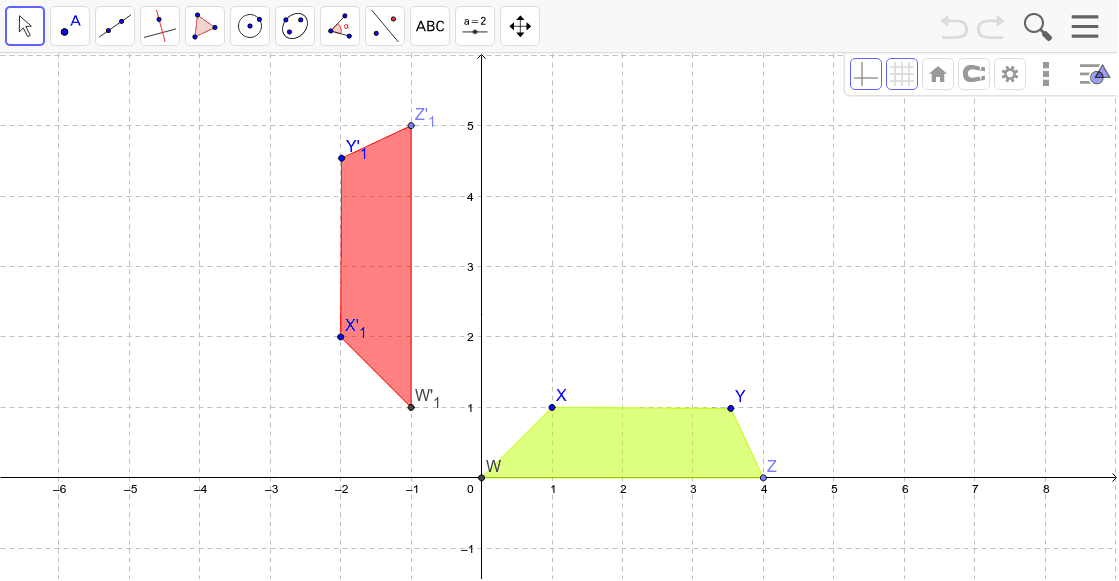
Investigation 1.4 Figure 2 - Properties of Transformations
Loading the math board and drawing, please wait…
In collections
Butterflies, Pinwheels, and Wallpaper
This example demonstrates the properties of transformations in butterfly, pinwheel, and wallpaper patterns. Key mathematical concepts include geometric transformations, piecewise functions, and trigonometric functions. Using GeoGebra commands such as Intersect, Point, Polygon, Line, Mirror, and Rotate, complex geometric shapes can be constructed. Suitable for middle school and above students to learn about geometric transformations and related concepts.
GeoGebra Commands & Parameters
Intersect(xAxis, yAxis) → WPoint(xAxis) → ZPolygon(W, Z, Y, X) → poly1, a, b, c, dPoint(xAxis) → APoint(yAxis) → BLine(A, B) → eMirror(W, e) → W'Mirror(Z, e) → Z'Mirror(Y, e) → Y'Mirror(X, e) → X'Rotate(W, 90*°, C) → W'_1Rotate(Z, 90*°, C) → Z'_1Rotate(Y, 90*°, C) → Y'_1Rotate(X, 90*°, C) → X'_1Polygon(W'_1, Z'_1, Y'_1, X'_1) → poly1', w'_1, z'_1, y'_1, x'_1
AI Drawing Prompt Reference
On a coordinate plane, start by drawing the axes)Skip. Place a point at the origin and another on the x-axis, then combine with two points on the y-axis to form a quadrilateral. Next, pick one point on the x-axis and one on the y-axis, connect them to create a line, and reflect the original quadrilateral across this line to get a mirrored copy. Then, choose a point in the plane as the center, rotate the original quadrilateral by 90 degrees to obtain a rotated copy. The final figure shows the original, mirrored, and rotated quadrilaterals, illustrating symmetry and rotation transformations.
The prompt above was compiled from the original drawing commands and is for reference only.