
Introduction to Rotation
Loading the math board and drawing, please wait…
In collections
Transformation-Rotation
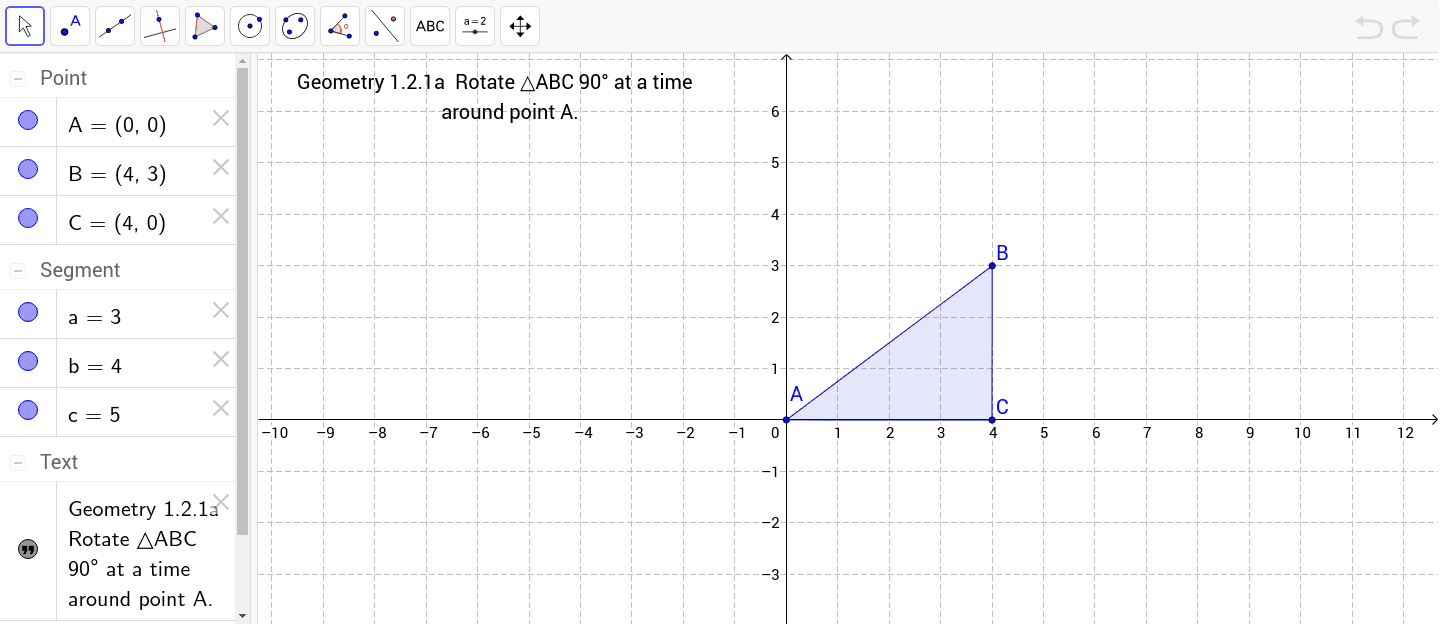
This example demonstrates how the coordinates of vertices change as a figure undergoes rotation, covering core concepts like rotation, coordinate transformation, and symmetry. It is constructed using commands such as Point and Polygon for objects A, B, C, poly1, and involves elements like c, a, b, and text1 for labeling. Suitable for middle school and above students studying rotational transformations and coordinate geometry.
GeoGebra Commands & Parameters
Point(Circle[A, 5]) → BPolygon(A, B, C) → poly1, c, a, b
AI Drawing Prompt Reference
Draw a figure with a center point and a circle of radius 5, pick a point on the circle, connect the center point to this point to form a line segment, then connect the endpoints of the line segment to a third point not on the same line to form a triangle, label the center point, the point on the circle, and the three vertices of the triangle, and display the interior area of the triangle and the coordinates of the three vertices.
The prompt above was compiled from the original drawing commands and is for reference only.