
Interactive Orthographic Projections of Stacked Cubes
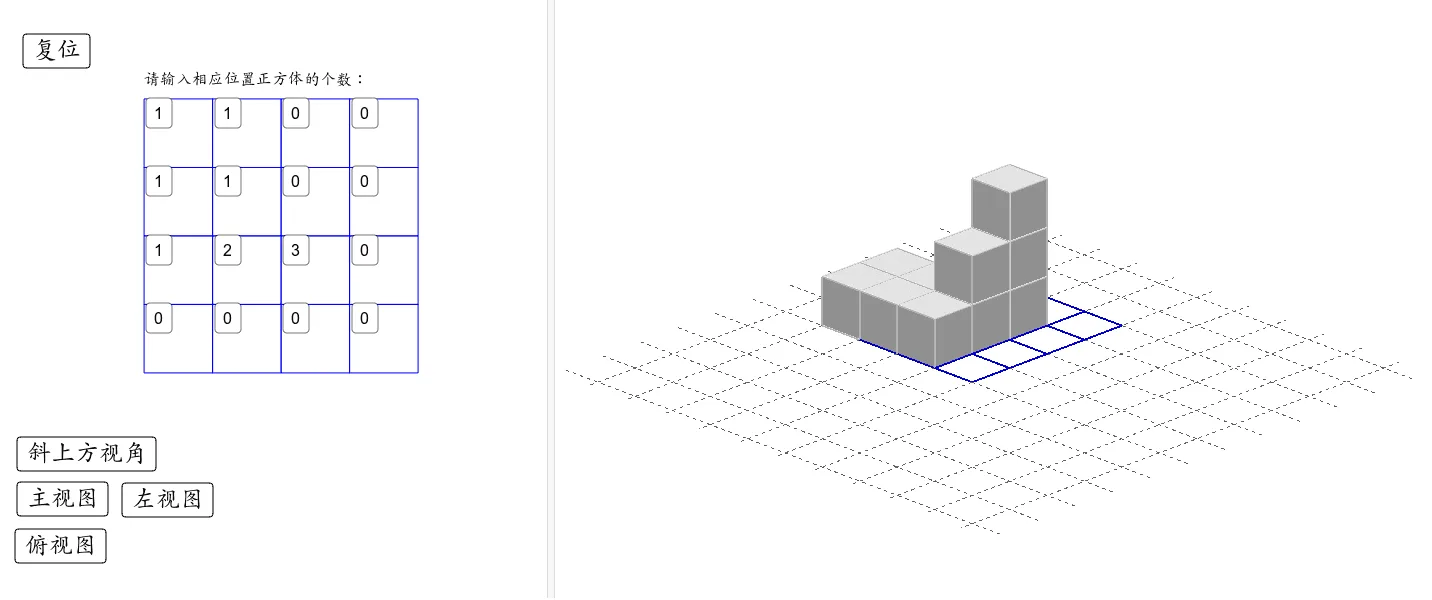
This GeoGebra applet demonstrates the orthographic projections (front view, left view, and top view) of stacked unit cubes through an interactive interface. Users can adjust the number and arrangement of the stacked cubes using input boxes and buttons, allowing them to observe real-time changes in both the three-dimensional solid and its two-dimensional projections on the three orthogonal planes. The applet provides a dynamic visual connection between the 3D structure and its corresponding 2D representations from each viewing direction, making it easy for students to see how individual cubes contribute to each projected view.
The demonstration is designed to help students grasp the fundamental principles of orthographic projection in spatial geometry. By manipulating the cube arrangements directly, learners can explore how different configurations produce different sets of three views, reinforcing the relationships between height, width, and depth across the front, side, and top projections. This hands-on interaction supports the development of spatial visualization skills, which are essential for success in solid geometry and engineering graphics.
Key features include real-time synchronization between the 3D model and all three orthographic views, intuitive controls for building and modifying cube stacks, and clear visual labeling of each projection plane. The applet serves as a practical learning tool for introducing and reinforcing the concepts of three-view drawings, helping students transition from concrete manipulation to abstract geometric reasoning. It is particularly useful in secondary mathematics courses covering observational geometry, technical drawing, and introductory solid geometry, making it a valuable resource for both classroom instruction and independent study.
In collections
Exploring the World of Geometry
Loading the math board and drawing, please wait…