
Interactive Fraction Subtraction Practice
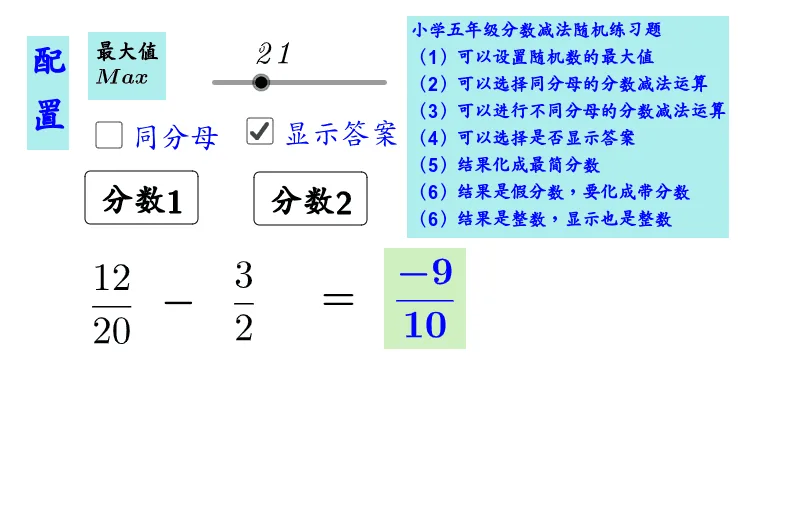
This GeoGebra example demonstrates the process of fraction subtraction. It uses the Random command to generate random fraction subtraction problems and the GCD (Greatest Common Divisor) command to simplify results. The interface includes interactive buttons (button1, button2) that walk through subtraction steps including finding common denominators, subtracting numerators, computing remainders (yushu), finding quotients (shang), and reducing to the simplest form (tsimple). This complete step-by-step visualization helps students see every stage of the fraction subtraction algorithm rather than simply arriving at an answer. Students can click through each stage to observe how fractions are converted to a common denominator, how the numerators are subtracted, and how the final result is simplified using the greatest common divisor. The random problem generator ensures that learners receive fresh exercises each time, making it suitable for repeated practice sessions. The remainder and quotient calculations are explicitly displayed, reinforcing the underlying arithmetic operations that support the simplification process. This applet is designed for elementary school or early middle school students who are learning fraction subtraction. By providing an interactive, visual walkthrough of each computational step, the tool supports conceptual understanding of equivalent fractions, common denominators, and reduction to lowest terms. Educators can use it as a classroom demonstration or assign it as independent practice, giving students immediate feedback on their procedural knowledge while building fluency in fraction arithmetic.
Loading the math board and drawing, please wait…