
Interactive Demonstration of Straight Lines, Triangles, and Medians
Loading the math board and drawing, please wait…
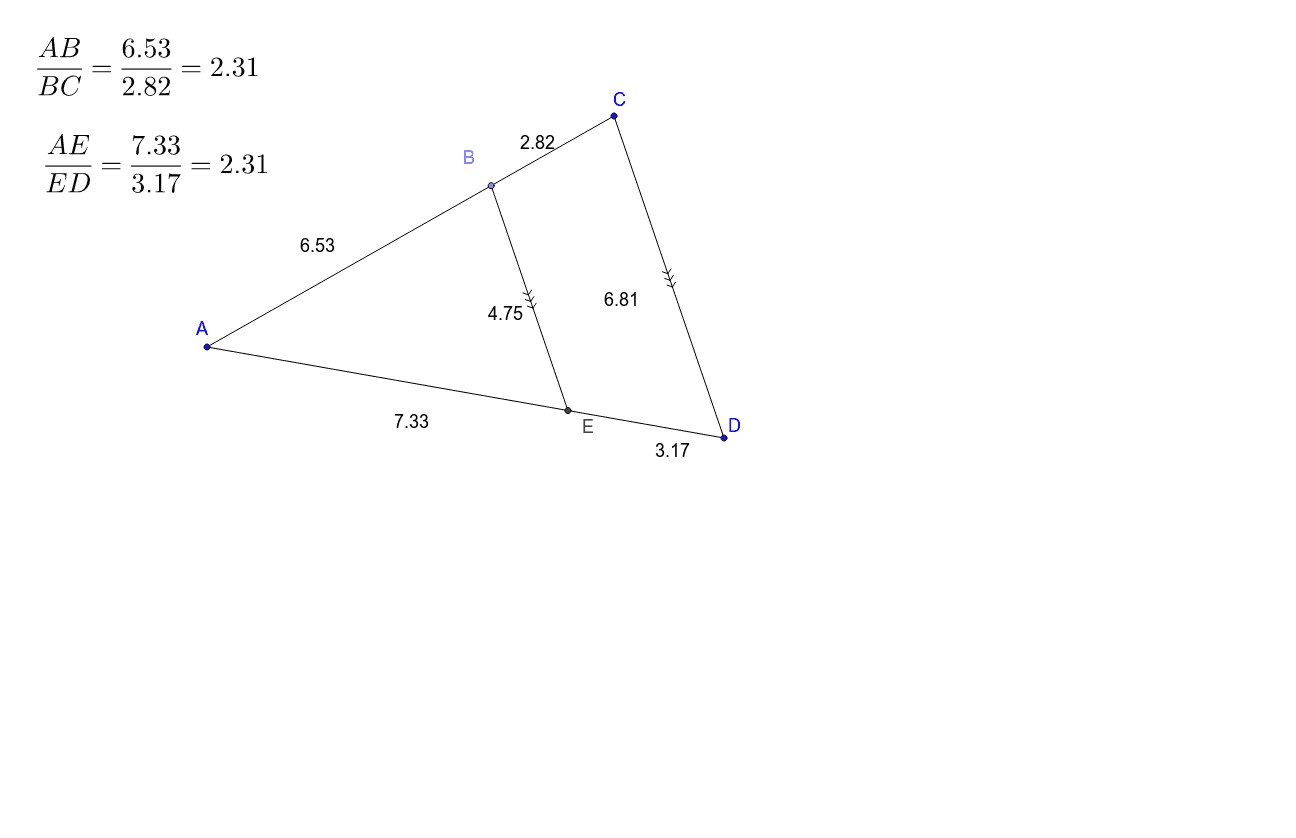
This example demonstrates the geometric relationships between straight lines, triangles, and medians interactively. It involves core mathematical concepts such as line equations, triangle properties, median theorem, and analytical geometry. The construction uses commands like Polygon, Point, Line, Intersect, and Segment in GeoGebra. Suitable for high school mathematics teaching and learning to understand basic theorems and construction methods in plane geometry.
GeoGebra Commands & Parameters
Polygon(C, A, D) → poly1, c, a, bPoint(poly1) → BLine(B, b) → dIntersect(d, a) → ESegment(B, E) → eSegment(A, B) → fSegment(B, C) → gSegment(C, D) → hSegment(D, E) → iSegment(E, A) → j
AI Drawing Prompt Reference
Draw a triangle ABC and a point D, then draw a line d connecting point B and D, and let line d intersect side AC at point E. Finally, draw the medians of triangle ABE, including BE, AE, and AB.
The prompt above was compiled from the original drawing commands and is for reference only.