
Graphing from Vertex Form: Plot a Parabola Using Key Coordinates
Loading the math board and drawing, please wait…
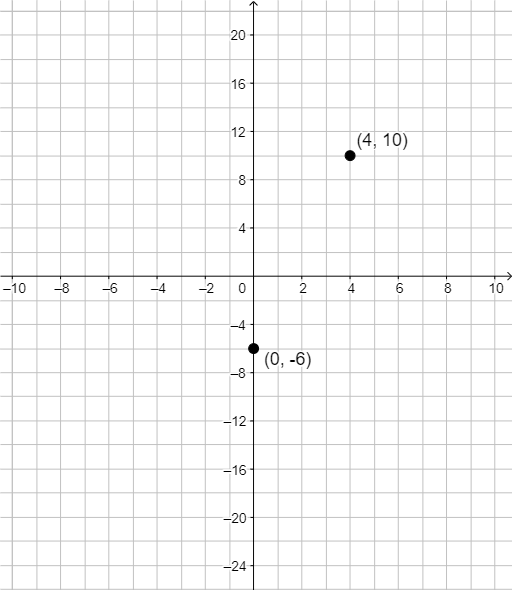
This example demonstrates how to start from a quadratic function’s vertex form and graph the corresponding parabola on a coordinate plane by identifying and using key points. The main mathematical ideas are vertex form of a quadratic function, the meaning of vertex coordinates, symmetry and shape parameters, and coordinate-geometry-based graphing. In the GeoGebra construction, it first creates point objects (using the Point command to construct points A and B as key coordinate locations) and then places these points according to the vertex-form parameters so the parabola’s position can be accurately built and interpreted. Suitable for middle- and high-school students learning quadratic functions and coordinate geometry, and for classroom demonstrations or guided practice on graphing from algebraic form.
GeoGebra Commands & Parameters
Point(yAxis) → A
AI Drawing Prompt Reference
Draw a parabola on a coordinate plane, given in vertex form. Start by placing a key point on the y-axis as a reference for the axis of symmetry. Then, using the vertex form parameters, mark the vertex location and determine two symmetric points on either side of the axis. Finally, sketch a smooth curve through these points, ensuring the parabola's opening direction, width, and position match the given parameters. Include coordinate axes, grid lines, and labeled key points to highlight symmetry and shape.
The prompt above was compiled from the original drawing commands and is for reference only.