
Grade 6: Net of a Cube
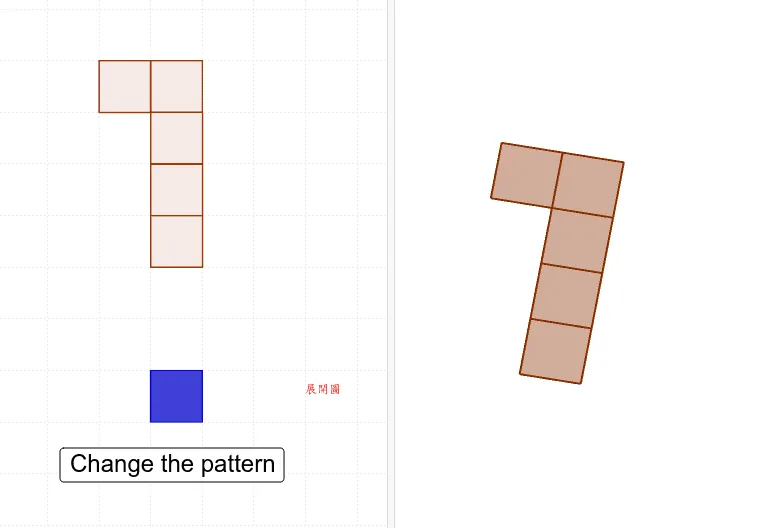
This GeoGebra applet demonstrates the net of a cube. Through interactive 3D and 2D visualizations, it helps students intuitively understand the transformation between solid and plane figures. Utilizing commands like Polygon, Segment, and Net, the applet displays the geometric features of the cube's faces and edges during the unfolding process, making it an excellent tool for spatial geometry education.
Students can dynamically manipulate the cube in three dimensions and watch as it unfolds into its two-dimensional net in real time. By adjusting the configuration, learners can explore how six square faces and twelve edges relate to one another across different net arrangements. The applet supports multiple unfolding patterns, allowing students to discover that a cube has several possible nets while recognizing that only certain configurations fold back into a valid cube.
The interactive design encourages active exploration. Teachers can guide students to identify which faces are adjacent and which are opposite by tracking their positions before and after unfolding. Color-coded faces and highlighted edges help learners visually distinguish each component and trace the correspondence between the 3D solid and its 2D representation. This hands-on approach strengthens spatial reasoning skills and builds a foundational understanding of geometric transformations.
The applet is specifically designed for sixth-grade students at the introductory stage of solid geometry. It aligns with curriculum goals that emphasize recognizing, drawing, and classifying nets of common three-dimensional shapes. By bridging concrete manipulation with abstract geometric thinking, the tool supports conceptual learning and prepares students for more advanced topics such as surface area calculations and spatial visualization tasks.
Loading the math board and drawing, please wait…