
Girl in the Mirror by byui
Loading the math board and drawing, please wait…
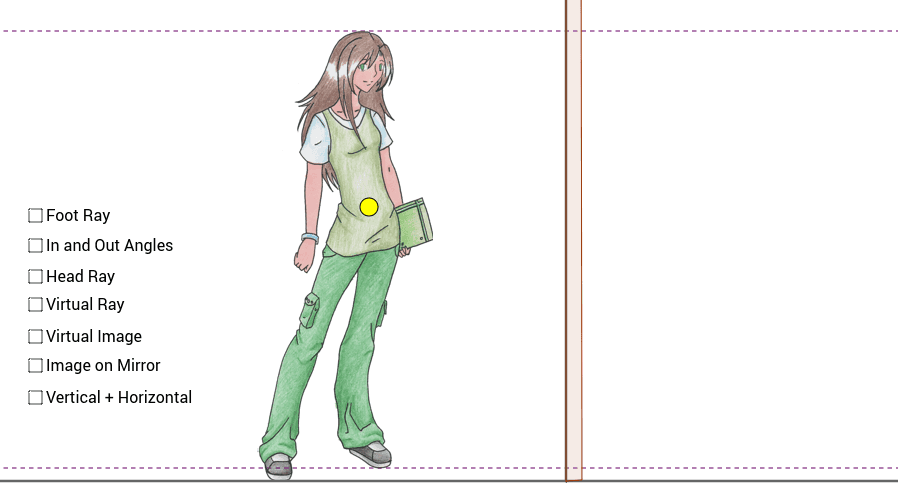
This example demonstrates how to explore the relationship between mirror size and viewing one's full body using GeoGebra. It involves concepts like similar triangles, reflection, and coordinate geometry. Constructed with commands like Point, Intersect, Segment, etc. Suitable for high school mathematics teaching, focusing on geometric optics and optimization problems.
GeoGebra Commands & Parameters
Point(yAxis) → FIntersect(xAxis, yAxis) → B_2Segment(B_2, F) → bIntersect(b, g) → AOrthogonalLine(L, b) → iIntersect(b, i) → BOrthogonalLine(C, b) → ePoint(e) → IPoint(e) → JSegment(J, I) → hPoint(h) → HIntersect(c, i) → MLine(B_1, B_2) → dOrthogonalLine(B_1, d) → fMirror(pic1, b) → pic2Mirror(H, b) → DOrthogonalLine(E, b) → aIntersect(a, c) → GIntersect(g, c) → KMirror(M, b) → NMirror(K, b) → OSegment(G, O) → jSegment(G, N) → kIntersect(b, j) → A'Intersect(b, k) → B'Angle(B', G, A') → αSegment(A', B') → lSegment(G, B') → pSegment(B', M) → qOrthogonalLine(B', b) → rPoint(r) → PAngle(M, B', B) → βAngle(A', B', G) → γIntersect(j, b) → QSegment(G, Q) → a1Segment(K, Q) → b1OrthogonalLine(G, b) → c1Intersect(g, j) → ROrthogonalLine(R, c1) → d1Point(b) → UIntersect(b, d) → VPolygon(U, S, T, V) → poly1, u_1, s_1, t_1, v_1
AI Drawing Prompt Reference
Draw a coordinate system with points on the x and y axes, and connect them to form a line segment. Create a triangle by intersecting this segment with another line. Reflect a shape over this segment to get its mirror image. Find reflection points and connect them to form multiple line segments and triangles. Measure and label angles to demonstrate the geometric relationship between reflections and similar triangles.
The prompt above was compiled from the original drawing commands and is for reference only.