
Geometry and Calculus Integration Example
Loading the math board and drawing, please wait…
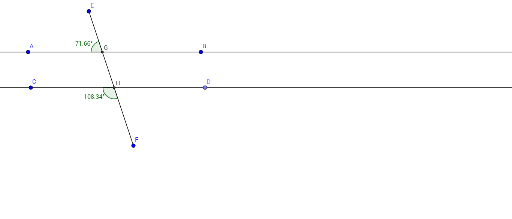
This example dynamically demonstrates angle changes on a straight line, integral calculations, and logarithmic function graphs, revealing relationships between geometric quantities and function properties. Core concepts include angle measurement, straight line equations, integral applications, logarithmic function characteristics, random variable distributions, exponential function models, and centroid calculation. GeoGebra commands used in construction are Line, Point, Segment, Intersect, and Angle. Suitable for high school students and math enthusiasts to understand the integration of function graphs, geometric transformations, and calculus applications.
GeoGebra Commands & Parameters
Line(A, B) → fLine(C, f) → gPoint(g) → DSegment(E, F) → hIntersect(f, h) → GIntersect(g, h) → HAngle(E, G, A) → αAngle(F, H, C) → β
AI Drawing Prompt Reference
Draw a straight line and dynamically show angle changes on it, marking two intersecting line segments with their intersection points, measuring the angles formed by these segments, and displaying their sizes to reveal the relationship between geometric quantities and function properties.
The prompt above was compiled from the original drawing commands and is for reference only.