
Geometric Representation of Roots of Unity
Loading the math board and drawing, please wait…
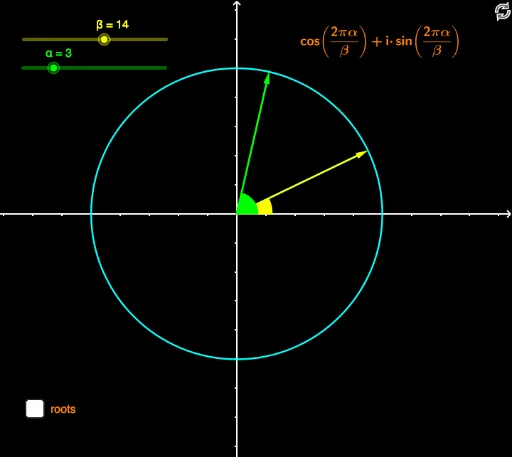
This example demonstrates the distribution and symmetry of unity roots in the complex plane. It involves core mathematical concepts like complex numbers, roots, rotation, and polar coordinate transformations. Key GeoGebra commands used include Intersect, Circle, Rotate, Angle, ToComplex, ToPolar, Vector, and Ray. Suitable for high school and above, it illustrates the connection between complex number operations and geometric representations.
GeoGebra Commands & Parameters
Intersect(xAxis, yAxis) → ACircle(A, 1) → cRotate(C, (360 / β)°, A) → NrootAngle(C, A, Nroot) → α_1ToComplex(Vector[Nroot]) → uToPolar(Vector[Nroot]) → vVector(NrootPower) → wToPolar(w) → zAngle(C, A, NrootPower) → β_1ToComplex(w) → aRay(A, w) → hIntersect(c, h) → B,
AI Drawing Prompt Reference
Draw the distribution and symmetry of unity roots in the complex plane. Start by drawing a circle centered at the origin with a radius of 1. Then, rotate a point on the circle around the origin by an angle of 360 degrees divided by β to get the first unity root. Calculate the rotation angle, convert it to a complex number and polar coordinates, perform a power operation to get a new vector and unity root. Finally, draw a ray from the origin to this vector and find its intersection with the circle to get the second unity root.
The prompt above was compiled from the original drawing commands and is for reference only.