
Geometric Construction: Drawing a Rectangle (Problem 1)
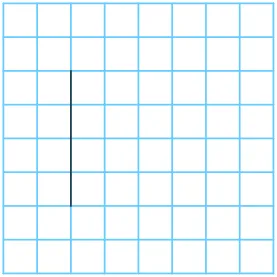
This GeoGebra example demonstrates how to construct a rectangle using geometric construction methods. It utilizes fundamental geometric elements such as points, segments, angles, and rotations, combined with the polygon command to build a rectangle. The applet features dynamic coordinates and sequence functions, making it suitable for learning basic properties and construction methods of rectangles in plane geometry. Through interactive manipulation, students can explore how the corners of a rectangle maintain right angles while side lengths adjust dynamically. The construction process reveals the relationships between opposite sides and diagonals, reinforcing key theorems such as the fact that opposite sides of a rectangle are equal in length and parallel, and that the diagonals bisect each other and are congruent. Students can drag vertices to observe how the rectangle responds while preserving its geometric constraints, gaining an intuitive understanding of rigid transformations including rotation and reflection. This hands-on exploration supports the development of proof-writing skills by allowing learners to visually verify properties before formalizing them. The inclusion of dynamic coordinates enables students to check measurements and verify constructions numerically, bridging the gap between visual intuition and algebraic reasoning.
In collections
Constructing Rectangles
Loading the math board and drawing, please wait…