
GeoGebra Triangle and Circle Volume Calculation Example
Loading the math board and drawing, please wait…
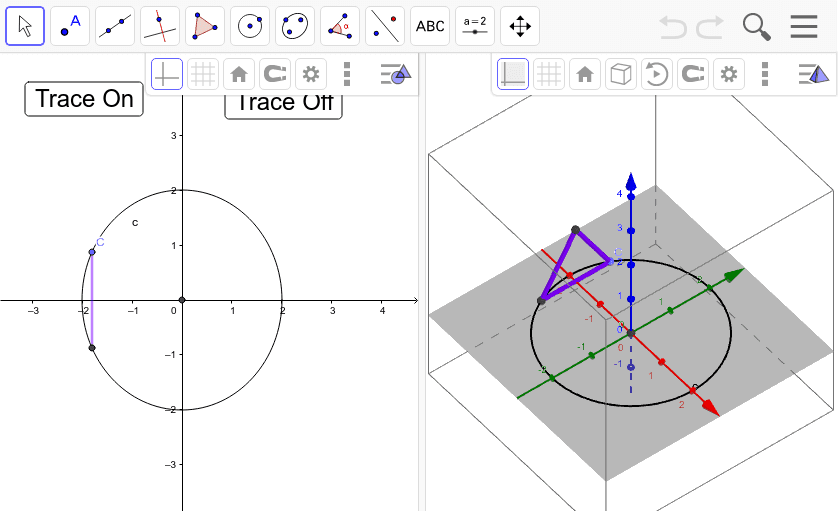
This example demonstrates calculating the volume relationship between a triangle and a circle using geometric constructions. Key mathematical concepts include volume calculation, geometric transformations, and coordinate geometry. Construction involves using GeoGebra commands like Point, Intersect, Circle, and Segment to build triangle ABC, circle c, circle d, and a sliding point h. Suitable for middle school students learning geometry and calculus fundamentals, useful for classroom teaching or self-exploration of geometric properties.
GeoGebra Commands & Parameters
Point(xAxis) → AIntersect(xAxis, yAxis) → BCircle(B, A) → cPoint(c) → CSegment(C, D) → dSegment(G, D) → aSegment(G, C) → b
AI Drawing Prompt Reference
Draw a triangle with one side on the x-axis and the other vertex on the y-axis. Create a circle centered at the intersection of the triangle's side on the x-axis and the y-axis, passing through the triangle's vertex. Add a line segment from a point on the circle to one vertex of the triangle, and move the point to observe changes, demonstrating geometric construction and volume relationships.
The prompt above was compiled from the original drawing commands and is for reference only.