
GeoGebra Orthocenter Construction and Triangle Properties
Loading the math board and drawing, please wait…
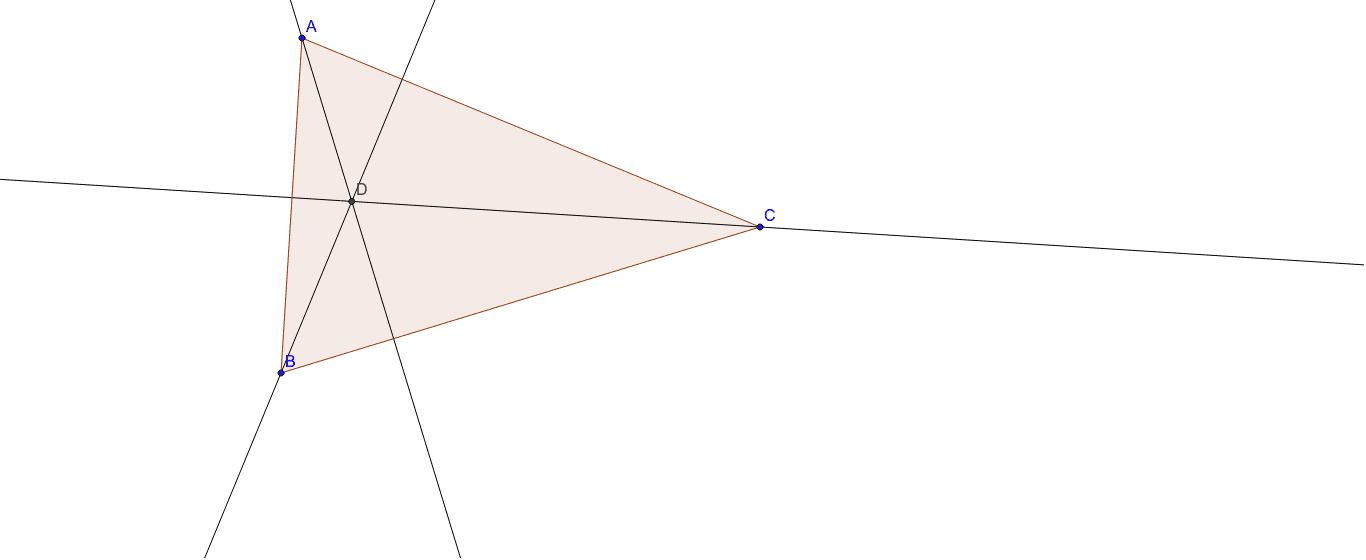
This example demonstrates constructing the orthocenter of a triangle using GeoGebra and analyzing its geometric properties. Key mathematical concepts include triangle angle relationships, orthocenter definition, and coordinate geometry point positioning. Construction involves using Polygon, OrthogonalLine, and Intersect commands to generate orthocenter coordinates, combined with triangle side ratio analysis to understand orthocenter position variations. Suitable for middle school geometry teaching or high school math extension, helping students grasp triangle symmetry and coordinate system applications.
GeoGebra Commands & Parameters
Polygon(A, B, C) → poly1, c, a, bOrthogonalLine(A, a) → dOrthogonalLine(B, b) → eOrthogonalLine(C, c) → fIntersect(d, e) → D
AI Drawing Prompt Reference
Draw a triangle and construct its orthocenter. The triangle consists of three points, each with a perpendicular line. These three perpendicular lines intersect at a single point, the orthocenter. The orthocenter is an important geometric feature that helps understand the symmetry and coordinate position of the triangle.
The prompt above was compiled from the original drawing commands and is for reference only.