
Fraction Card Ordering Exercise
Loading the math board and drawing, please wait…
In collections
Ordnen und Vergleichen von Bruchzahlen
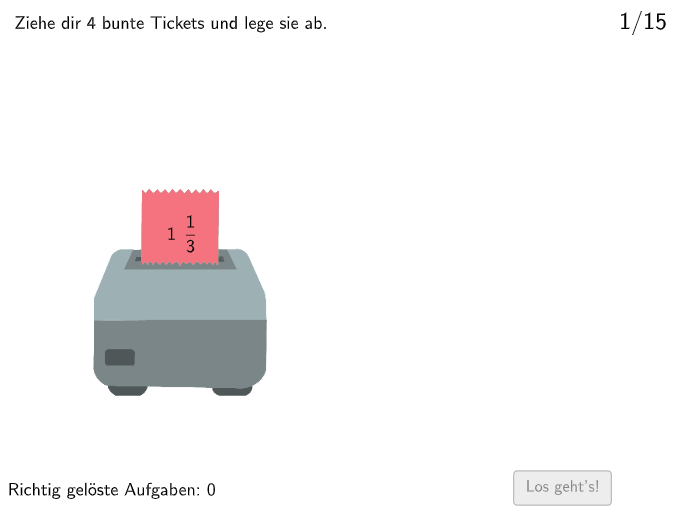
This is an interactive math exercise where students drag randomly generated fraction cards (including natural numbers, decimals, and fractions) into sorting boxes to arrange them in ascending order. Core mathematical concepts involved include: comparing and ordering fractions, converting between natural numbers and fractions, and classifying numbers (natural numbers, fractions, decimals). Construction details: Use the Shuffle command to generate random sequences, draw sorting regions with Polygon (Box1, Box2), use IsInRegion to check if cards are placed correctly, and display card content with Text. Suitable for grade 5-6 students to develop number sense and improve ordering skills for rational numbers.
GeoGebra Commands & Parameters
Shuffle({1, 2}) → ModusListe, {2, 1}Shuffle({1, 2, 3, 4, 5, 6, 7, 8, 9, 10, 11, 12, 13, 14, 15}) → RandoNumListe, {10, 8, 5, 13, 3, 6, 15, 14, 4, 12, 2, 7, 9, 11, 1}Polygon(Q1E1, Q1E2, 4) → Box1, f, g, h, i, Q1E3, Q1E4IsInRegion(PosZettel4, Box1) → Z4inB1IsInRegion(PosZettel2, Box1) → Z2inB1IsInRegion(PosZettel1, Box1) → Z1inB1IsInRegion(PosZettel3, Box1) → Z3inB1Polygon(Q2E1, Q2E2, 4) → Box2, j, k, l, m, Q2E3, Q2E4IsInRegion(PosZettel4, Box2) → Z4inB2IsInRegion(PosZettel2, Box2) → Z2inB2IsInRegion(PosZettel1, Box2) → Z1inB2IsInRegion(PosZettel3, Box2) → Z3inB2Polygon(Q3E1, Q3E2, 4) → Box3, n, p, q, r, Q3E3, Q3E4IsInRegion(PosZettel4, Box3) → Z4inB3IsInRegion(PosZettel2, Box3) → Z2inB3IsInRegion(PosZettel1, Box3) → Z1inB3IsInRegion(PosZettel3, Box3) → Z3inB3Polygon(Q4E1, Q4E2, 4) → Box4, s, t, a, b, Q4E3, Q4E4IsInRegion(PosZettel4, Box4) → Z4inB4IsInRegion(PosZettel2, Box4) → Z2inB4IsInRegion(PosZettel1, Box4) → Z1inB4IsInRegion(PosZettel3, Box4) → Z3inB4Shuffle({1, 2}) → ZufallslisteZettel1, {2, 1}Shuffle({1, 2}) → ZufallslisteZettel2, {2, 1}Shuffle({1, 2}) → ZufallslisteZettel3, {2, 1}Shuffle({1, 2}) → ZufallslisteZettel4, {2, 1}Polygon(Z1VieleckE1, Z1VieleckE2, Zettel1Anchor_1, Z1VieleckH, Z1VieleckE3, Z1VieleckE4) → Vieleck1, z1vielecke1, z1vielecke2, zettel1anchor_1, z1vieleckh, z1vielecke3, z1vielecke4Polygon(Z2VieleckE1, Z2VieleckE2, Zettel2Anchor_1, Z2VieleckH, Z2VieleckE3, Z2VieleckE4) → Vieleck2, z2vielecke1, z2vielecke2, zettel2anchor_1, z2vieleckh, z2vielecke3, z2vielecke4Polygon(Z3VieleckE1, Z3VieleckE2, Zettel3Anchor_1, Z3VieleckH, Z3VieleckE3, Z3VieleckE4) → Vieleck3, z3vielecke1, z3vielecke2, zettel3anchor_1, z3vieleckh, z3vielecke3, z3vielecke4Polygon(Z4VieleckE1, Z4VieleckE2, Zettel4Anchor_1, Z4VieleckH, Z4VieleckE3, Z4VieleckE4) → Vieleck4, z4vielecke1, z4vielecke2, zettel4anchor_1, z4vieleckh, z4vielecke3, z4vielecke4Text(FeedbackText, A, false, true, 0) → Text3
AI Drawing Prompt Reference
Draw a graph with four sorting boxes, the positions of which can be randomly arranged. Each box has a label, Box1, Box2, Box3, and Box4. The boxes can contain various types of numbers, including natural numbers, fractions, and decimals. The user is required to arrange these numbers in ascending order into each box. The graph also includes some regions for checking if the numbers are correctly arranged.
The prompt above was compiled from the original drawing commands and is for reference only.