
Fraction Addition Demonstration by Mr Andon
Loading the math board and drawing, please wait…
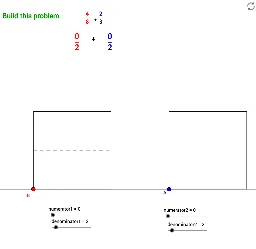
This example visually demonstrates the process of adding fractions, aiding comprehension through geometric representation. It involves core math concepts like fractions, geometric constructions, unit circle, and coordinate geometry. Key GeoGebra commands and objects used include Point, Circle, OrthogonalLine, Intersect, Segment, Mirror, Sequence, Polygon, GCD, Random for constructing the visuals. Suitable for middle school and above learners to understand fraction operations and geometric relationships.
GeoGebra Commands & Parameters
Point(c) → ACircle(A, squaresize) → dOrthogonalLine(A, c) → eIntersect(d, e, 2) → B_1Intersect(d, c, 2) → CSegment(B_1, C) → fMirror(A, f) → A'Sequence((x(A) + (i * squareside / denominator2), y(A)), i, 1, denominator2) → DotsBottomSequence((x(B_1) + (i * squareside / denominator2), y(B_1)), i, 1, denominator2) → DotsTopPolygon(A, (x(A) + (numerator2 * squaresize / denominator2), y(A)), (x(B_1) + (numerator2 * squaresize / denominator2), y(B_1)), B_1) → poly1, a, h, i, jSequence(Segment[(x(A) + (i * squaresize / denominator2), y(A)), (x(B_1) + (i * squaresize / denominator2), y(B_1))], i, 1, denominator2) → DashedLines1Polygon(A, C, A', B_1) → poly2, a_1, c_1, a', b_1Point(c) → BCircle(B, squaresize) → gOrthogonalLine(B, c) → bIntersect(g, b, 2) → EIntersect(g, c, 2) → FOrthogonalLine(E, b) → kOrthogonalLine(F, c) → lIntersect(k, l) → GSequence((x(B), y(B) + (i * squaresize / denominator1)), i, 1, denominator1) → DotsLeftSequence((x(F), y(F) + (i * squaresize / denominator1)), i, 1, denominator1) → DotsRightSequence(Segment[(x(B), y(B) + (i * squaresize / denominator1)), (x(F), y(F) + (i * squaresize / denominator1))], i, 1, denominator1) → DashedLines2Polygon(B, F, (x(F), y(F) + (numerator1 * squaresize / denominator1)), (x(B), y(B) + (numerator1 * squaresize / denominator1))) → poly3, d_1, f_1, m, nPolygon(B, F, G, E) → poly4, d_2, f_2, g_1, e_1GCD(MixedNum, commondenom) → ReduceByRandom(2, 10) → seeddenominator1Random(2, 10) → seeddenominator2
AI Drawing Prompt Reference
Create a geometric demonstration of fraction addition, featuring two concentric circles and a common center point. Begin by drawing a perpendicular line from the center to the circle, intersecting it at two points. Connect these points to form a segment. Then, symmetrically construct a set of points along this segment and connect them with dashed lines. Next, draw solid lines from the center to the symmetric points to form two polygons. Finally, represent the fractions as rectangles outside the circles, using dashed lines to indicate the numerators and denominators, visually demonstrating the process of adding fractions.
The prompt above was compiled from the original drawing commands and is for reference only.