
Fixed Area Geometric Shapes
Loading the math board and drawing, please wait…
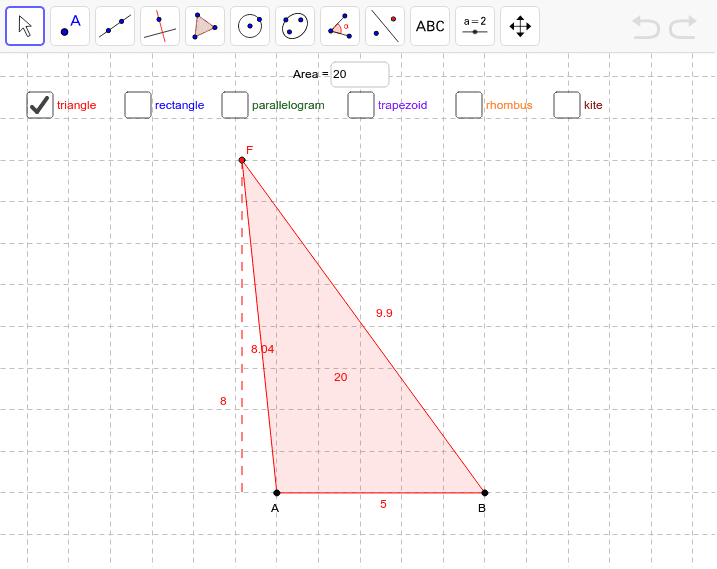
This example demonstrates how to construct various geometric shapes like kites, rectangles, squares, and trapezoids with a fixed area using GeoGebra. It involves core concepts such as area calculation, geometric construction, trigonometric functions, and arithmetic mean. Key GeoGebra commands and objects used include Line, OrthogonalLine, Circle, Intersect, Polygon, Point, Segment, Semicircle, and Mirror. Suitable for high school mathematics education to understand the properties and area relationships of geometric figures.
GeoGebra Commands & Parameters
Textfield(area2be) → InputBox1Line(A, B) → aOrthogonalLine(A, a) → bCircle(A, area2be / Distance[A, B]) → cIntersect(c, b, 2) → CPolygon(B, A, C, D) → poly1, b_1, a_1, c_1, dLine(E, a) → ePoint(e) → FPolygon(A, B, F) → poly2, f, a_2, b_2Line(C, a) → iPoint(i) → GPolygon(G, H, B, A) → poly3, g_1, h_1, b_3, a_3Segment(F, Intersect[a, OrthogonalLine[F, a]]) → kSegment(G, Intersect[a, OrthogonalLine[G, a]]) → lPolygon(I, A, B, J) → poly4, i_1, a_4, b_4, j_1Segment(I, Intersect[a, OrthogonalLine[I, a]]) → mSemicircle(A, B) → pCircle(A, area2be / ((2 * Distance[A, B]))) → qIntersect(q, b, 2) → KIntersect(p, OrthogonalLine[K, b]) → L, MMirror(B, M) → B'Mirror(A, M) → A'Polygon(B, A, B', A') → poly5, b_5, a_5, b', a'Segment(B, B') → rSegment(A, A') → sPoint(p) → NMirror(A, N) → A'_1Polygon(B, A'_1, O, A) → poly6, b_6, a'_1, o_1, a_6Segment(B, O) → tSegment(A, A'_1) → d_1