
Finding the Equation of a Quadratic Function
Loading the math board and drawing, please wait…
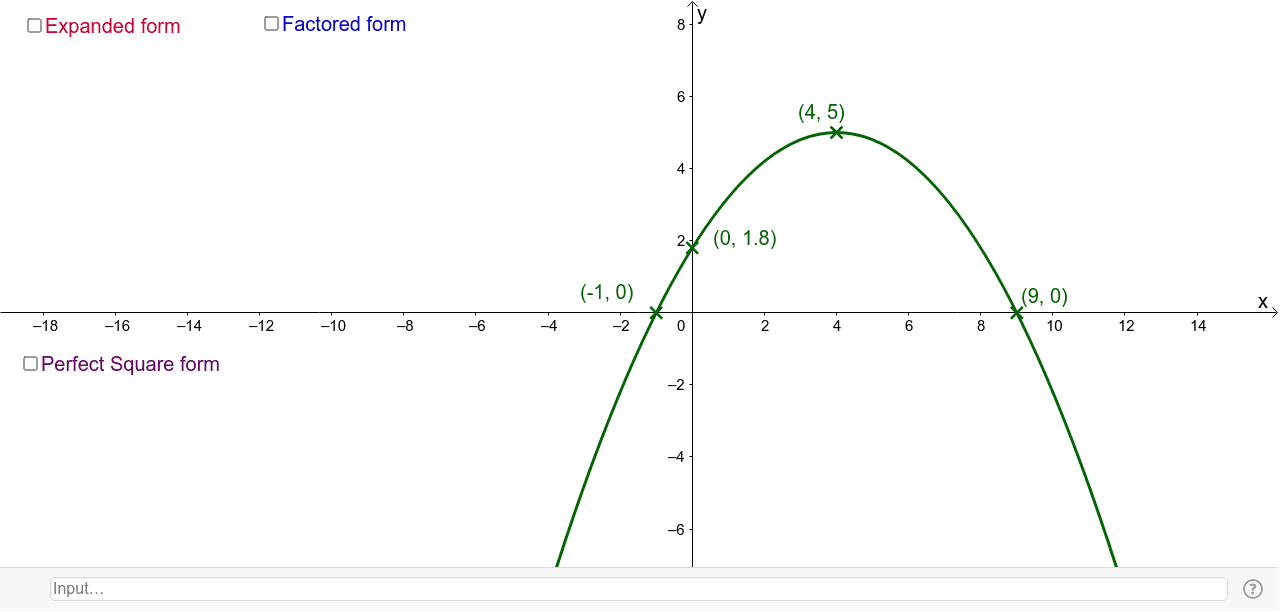
This example demonstrates how to find the equation of a quadratic function using geometric methods such as intersections, midpoints, orthogonal lines, and bisectors. Core mathematical concepts include quadratic functions, parabolas, coordinate geometry, orthocenters, and differential equations. The construction involves GeoGebra commands and objects like Intersect, Midpoint, OrthogonalLine, LineBisector, and Vertex. Suitable for high school mathematics teaching and function graphing learning.
GeoGebra Commands & Parameters
Intersect(d, xAxis, 2) → x_1Intersect(d, xAxis, 1) → x_2Midpoint(x_1, x_2) → AOrthogonalLine(A, xAxis) → gIntersect(h_1, xAxis) → C, DLineBisector(D, C) → aIntersect(h_1, a) → E, HIntersect(r, xAxis) → F, GLineBisector(F, G) → jVertex(r) → J, , ,Vertex(d) → B, , ,Intersect(d, yAxis) → I,Intersect(h_1, yAxis) → K,Intersect(r, yAxis) → L,Intersect(s, xAxis) → M, NIntersect(s, yAxis) → O,Vertex(s) → P, , ,
AI Drawing Prompt Reference
Draw the graph of a quadratic function, showing how to find its equation using geometric methods. Start by marking the intersections with the x-axis, then find the midpoint and perpendicular line. Next, use the midpoint bisector and intersection points to construct auxiliary lines, and locate the intersections with the x-axis and y-axis, drawing the bisectors. Finally, mark the vertices of the circle and the intersections of the lines with the coordinate axes to complete the construction.
The prompt above was compiled from the original drawing commands and is for reference only.