
Finding the Circumcenter with Bubble Method
Loading the math board and drawing, please wait…
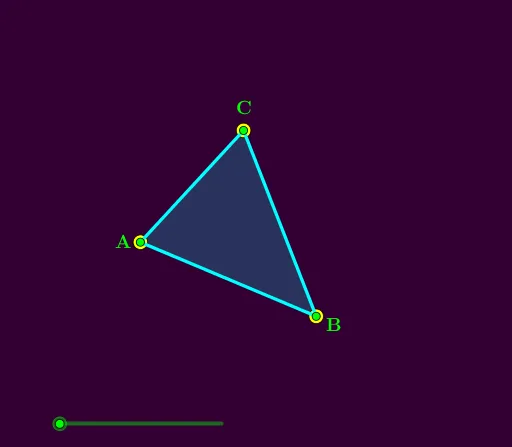
This example demonstrates how to find the circumcenter of a triangle using a bubble method. Key mathematical concepts include the circumcircle of a triangle, properties of circles, and geometric construction. GeoGebra commands used include Min, Polygon, LineBisector, Radius, Circle, Sequence, Intersect, CircleArc, Segment, Rotate. Suitable for middle school and above students learning geometric construction.
GeoGebra Commands & Parameters
Min(Max[anim, 0], 1) → dPolygon(A, B, C) → t1, c, a, bLineBisector(c) → fLineBisector(b) → gLineBisector(a) → hRadius(Circle[A, B, C]) → rCircle(A, (d * r)) → eSequence(Circle[Element[l1, k], (d * r)], k, 1, 3) → l2Circle(B, (d * r)) → kCircle(C, (d * r)) → pIntersect(p, h) → D, EIntersect(p, g) → F, GIntersect(e, f) → H, ICircleArc(C, D, F) → qSegment(F, G) → iSegment(E, D) → jCircleArc(C, G, E) → sCircleArc(C, G, F) → tCircleArc(A, F, G) → c_1Segment(H, I) → mCircleArc(A, F, H) → d_1CircleArc(A, I, G) → e_1CircleArc(B, H, I) → f_1CircleArc(B, H, D) → g_1CircleArc(B, E, I) → h_1Min(Max[(2 * (anim - 1)), 0], 1) → roIntersect(f, g) → JMin(Max[(2 * (anim - 1.6)), 0], 1) → ro2Sequence(Segment[Element[l1, k], J], k, 1, 3) → l3Sequence(Rotate[Element[l3, k], (ro * 360°), Element[l1, k]], k, 1, 3) → l4Sequence(Rotate[Element[l3, k], (ro2 * 360°), J], k, 1, 3) → l5Rotate(Element[l3, 1], (ro2 * 360°), J) → nRotate(A, (ro2 * 360°), J) → A'CircleArc(J, A, A') → k_1
AI Drawing Prompt Reference
Draw a triangle and locate its circumcenter. Construct the perpendicular bisectors of all three sides; they intersect at the circumcenter. Using one vertex as the center and the circumradius as the radius, draw a circle. Repeat with the other two vertices. As an animation parameter changes, these circles expand, intersecting the bisectors to create arcs and segments, illustrating the bubble method. Finally, connect the circumcenter to each vertex, and rotate these segments around the vertices or the circumcenter to complete the dynamic construction.
The prompt above was compiled from the original drawing commands and is for reference only.