
Extending Given Denominators
Loading the math board and drawing, please wait…
In collections
Bruchzahlen: Erweitern und Kürzen
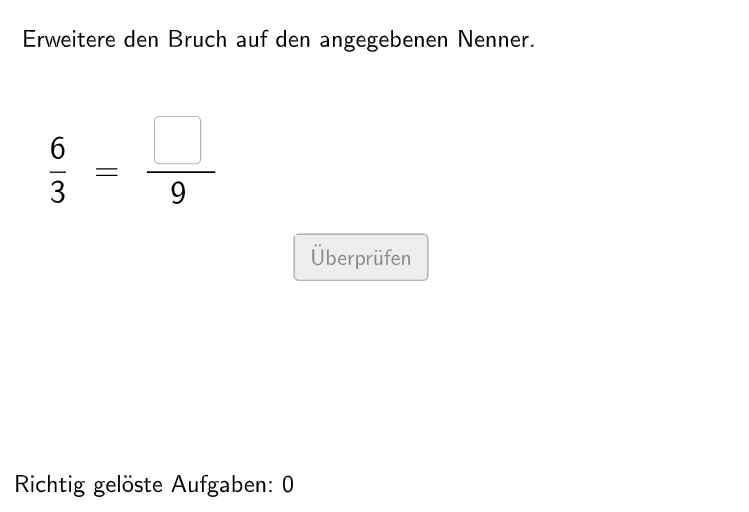
This GeoGebra example demonstrates how to extend given denominators. It involves the core math concept of extending and simplifying fractions. The construction points include using Shuffle, Element, RandomElement, etc. GeoGebra commands/objects. This example is suitable for 5-6 grade students, helping them understand and manipulate fraction concepts.
GeoGebra Commands & Parameters
Shuffle(Sequence[Random[1, 8], i, 1, 100]) → selectedNum, {5, 3, 1, 3, 3, 8, 2, 3, 3, 3, 6, 7, 4, 7, 4, 4, 2, 6, 4, 4, 4, 8, 1, 4, 2, 1, 8, 7, 7, 6, 2, 6, 7, 5, 3, 1, 7, 5, 3, 8, 1, 7, 8, 8, 3, 7, 2, 7, 2, 6, 2, 1, 4, 6, 8, 5, 2, 6, 5, 6, 3, 7, 5, 5, 7, 2, 5, 5, 3, 4, 6, 6, 5, 1, 3, 3, 4, 5, 6, 2, 1, 5, 8, 3, 1, 4, 5, 3, 3, 1, 6, 8, 1, 3, 2, 4, 8, 3, 8, 6}Element(selectedNum, Mod[questionCount, 100] + 1) → numCountShuffle(Sequence[Random[1, 10], i, 1, 100]) → randomNosForX, {10, 6, 6, 1, 8, 2, 7, 9, 1, 5, 1, 1, 2, 1, 9, 7, 2, 10, 6, 4, 4, 9, 1, 9, 4, 8, 6, 10, 6, 1, 1, 8, 1, 7, 9, 7, 4, 7, 5, 8, 4, 1, 6, 8, 6, 4, 10, 1, 4, 10, 9, 1, 10, 3, 9, 6, 5, 7, 9, 1, 9, 9, 9, 3, 10, 3, 7, 7, 9, 4, 10, 4, 5, 7, 8, 8, 1, 4, 4, 2, 8, 9, 9, 8, 7, 9, 2, 1, 4, 7, 5, 10, 5, 2, 8, 1, 6, 9, 3, 3}Element(randomNosForX, Mod[questionCount, 100] + 1) → gleichNumRandomElement(l8) → num8RandomElement(l6) → num6RandomElement(l10) → num10RandomElement(l12) → num12RandomElement(l15) → num15RandomElement(l18) → num18RandomElement(l24) → num24If(gleichNum ≟ nums(numCount), Element[randomNosForX, Mod[questionCount, 100] + 1] + 1, Element[randomNosForX, Mod[questionCount, 100] + 1]) → numXTextfield(aInput) → InputBox1Textfield(bInput) → InputBox2Polygon(PtopLeftCornerFeedback, PtopRightCornerFeedback, PbottomRightCornerFeedback, PbottomLeftCornerFeedback) → rectangleCorrect, ptopleftcornerfeedback, ptoprightcornerfeedback, pbottomrightcornerfeedback, pbottomleftcornerfeedbackDefined(aInput) → fixedSegment(A, B) → fPolygon(PtopLeftCornerFeedback_{1}, PtopRightCornerFeedback_{1}, PbottomRightCornerFeedback_{1}, PbottomLeftCornerFeedback_{1}) → rectangleCorrect_{1}, ptopleftcornerfeedback_{1}, ptoprightcornerfeedback_{1}, pbottomrightcornerfeedback_{1}, pbottomleftcornerfeedback_{1}CircleArc(C, D, E) → cCircleArc(F, G, H) → dPoint(c) → IVector(I, J) → uPoint(d) → KVector(K, L) → vCircleArc(M, N, O) → eCircleArc(P, Q, R) → gPoint(e) → SVector(S, T) → wPoint(g) → UVector(U, V) → a
AI Drawing Prompt Reference
Create a plane diagram with two editable input boxes labeled for a and b. Construct a rectangle on the screen, then add curved arc elements inside to guide the idea of extending given denominators. Use two circle arcs to define key points at their endpoints, and from those endpoints form direction vectors that indicate how the fraction extension should be carried out. Build in order: first the rectangle, then the arcs and their endpoint points, and finally the vectors derived from those points.
The prompt above was compiled from the original drawing commands and is for reference only.