
Exploring Triangle Area: Geometric Construction and Mathematical Concepts
Loading the math board and drawing, please wait…
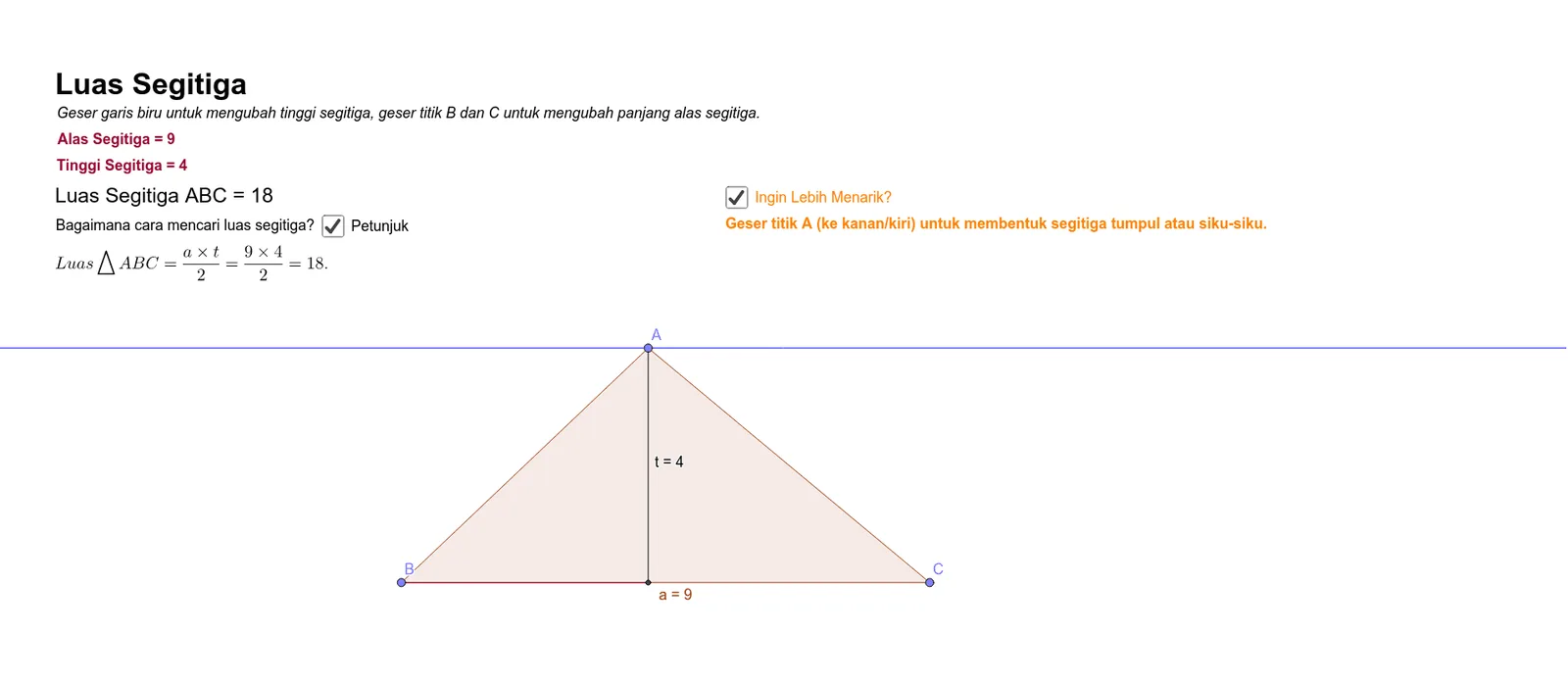
This example demonstrates triangle area calculation using GeoGebra, covering equilateral, isosceles, and right triangles. Key mathematical concepts include area formulas, triangle properties, and geometric construction techniques. Construction involves using commands like Point, Polygon, OrthogonalLine to create triangles and calculate area. Suitable for middle school students learning geometry basics or for math teaching assistance.
GeoGebra Commands & Parameters
Point(f) → APoint(g) → BPoint(g) → CPolygon(A, B, C) → poly1, c, a, bOrthogonalLine(A, g) → hIntersect(h, g) → DSegment(A, D) → tSegment(D, B) → i
AI Drawing Prompt Reference
Draw a horizontal line as the base. Place a point above the line as the apex, and choose two distinct points on the line as the other vertices. Connect these three points with line segments to form a triangle. Then construct a perpendicular line from the apex down to the base, marking the intersection point on the base. Draw a segment from the apex to this foot of the perpendicular, representing the altitude. Finally, connect the foot to one of the base vertices with a segment, dividing the triangle into two smaller right triangles. The final figure shows a triangle with its altitude and an auxiliary segment, illustrating geometric construction for area calculation.
The prompt above was compiled from the original drawing commands and is for reference only.