
Exploring the Perimeter and Area of Rectangles
Loading the math board and drawing, please wait…
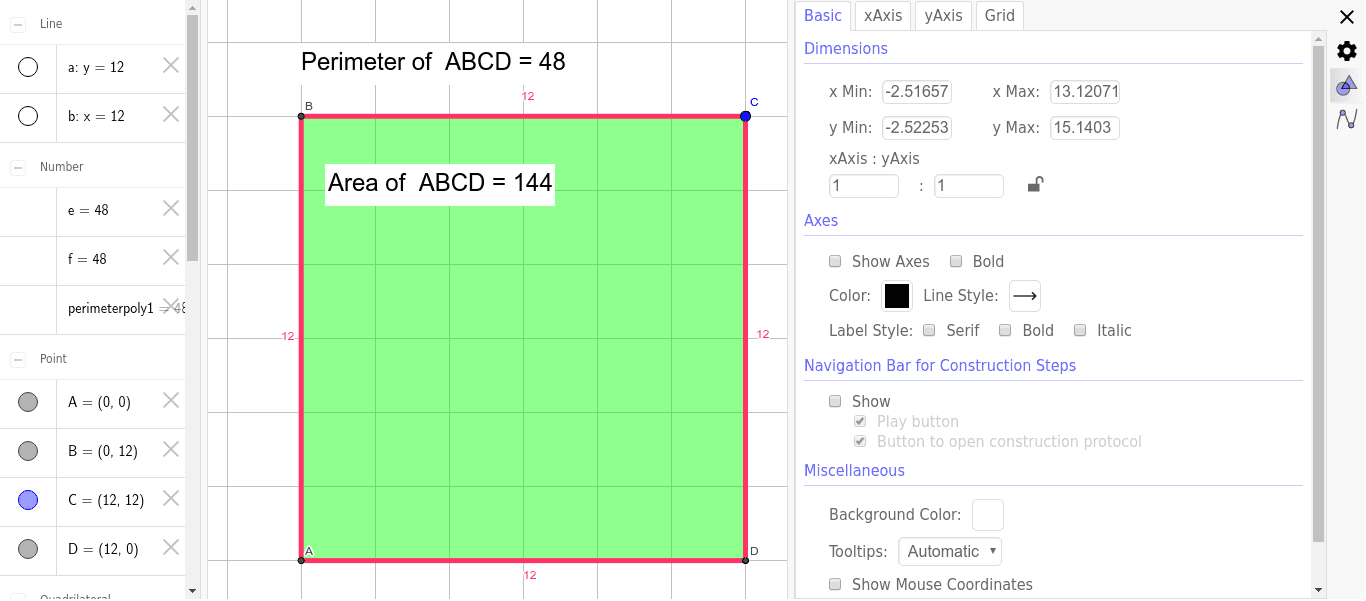
This GeoGebra example dynamically explores the relationship between the side lengths of a rectangle and its perimeter and area. The core mathematical concepts include the formulas for perimeter ($P = 2(a+b)$) and area ($S = a imes b$), bridging geometric intuition with algebraic calculation. In terms of construction, it utilizes the `OrthogonalLine` command to draw perpendicular sides, `Intersect` to locate vertices A, B, C, and D, and the `Polygon` command to form the rectangle `poly1`. Interactive features are implemented via `Textfield` and `InputBox` for user inputs, while `Perimeter` and `PointIn` commands handle the real-time computation and visual rendering of geometric properties. This tool is ideal for middle school students, beginner high school learners, or mathematics educators seeking an interactive visual aid for basic geometry and algebraic formulas.
GeoGebra Commands & Parameters
Intersect(xAxis, yAxis) → AOrthogonalLine(C, yAxis) → aOrthogonalLine(C, a) → bIntersect(a, yAxis) → BIntersect(b, xAxis) → DPolygon(A, B, C, D) → poly1, a_1, b_1, c, dTextfield(text1) → InputBox1Textfield() → InputBox2PointIn(poly1) → Pointpoly1_1Perimeter(poly1) → perimeterpoly1PointIn(poly1) → Pointpoly1_2PointIn(poly1) → Pointpoly1_3Perimeter(poly1) → ePointIn(poly1) → Pointpoly1_4Perimeter(poly1) → fPointIn(poly1) → Pointpoly1
AI Drawing Prompt Reference
Create an interactive coordinate-plane diagram of a rectangle for exploring side lengths, perimeter, and area. Start with the origin as one vertex, use lines perpendicular to the axes to locate the other three vertices, and connect them into a rectangle. Add two input boxes for setting side lengths or vertex positions, and place several movable points inside the rectangle to show how the shape changes dynamically. Display the rectangle's perimeter in real time, and keep the construction order clear and simple so the diagram visually connects geometric intuition with the formulas for perimeter and area.
The prompt above was compiled from the original drawing commands and is for reference only.