
Exploring the Geometric Definition of a Parabola
Loading the math board and drawing, please wait…
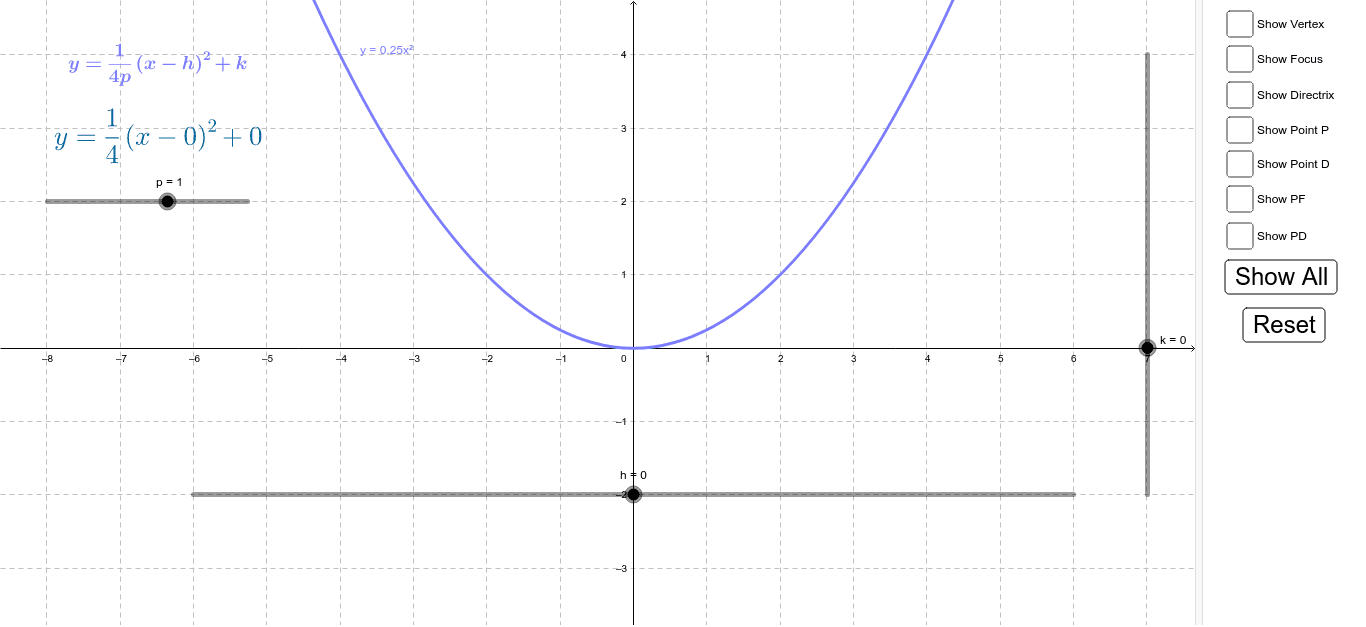
This interactive GeoGebra example demonstrates the geometric definition of a parabola: the set of all points equidistant from a fixed point (focus) and a fixed line (directrix). Students can explore how the parabola emerges as the locus of points satisfying PF = PD. Key mathematical concepts include focus, directrix, equidistance, and the relationship between the geometric definition and the standard quadratic equation. The construction uses GeoGebra commands such as Point to create the focus F and a point D on the directrix, OrthogonalLine to draw a perpendicular line, Intersect to find the moving point P, and Segment to display the distances PF and PD. Interactive buttons and checkboxes allow toggling the visibility of the focus, directrix, vertex, and distance segments, while sliders h, k, and c adjust the position and shape of the parabola. This resource is ideal for high school analytic geometry or introductory calculus courses, helping students visualize the definition and connect it to algebraic representations.
GeoGebra Commands & Parameters
Point(c) → POrthogonalLine(P, directrix) → aIntersect(a, directrix) → DSegment(P, F) → PFSegment(P, D) → PD
AI Drawing Prompt Reference
Draw a coordinate plane with a horizontal line as the directrix and a fixed point above it as the focus. Pick a point on the directrix, draw a perpendicular line through it, and find a point on this perpendicular such that its distance to the focus equals its distance to the directrix point. Connect this moving point to the focus and to the directrix point with segments, showing they are equal. Adjust the focus and directrix to trace the parabola, and mark its vertex.
The prompt above was compiled from the original drawing commands and is for reference only.