
Exploring Rotations: Rotating a Triangle 90° and 180° About the Origin
Loading the math board and drawing, please wait…
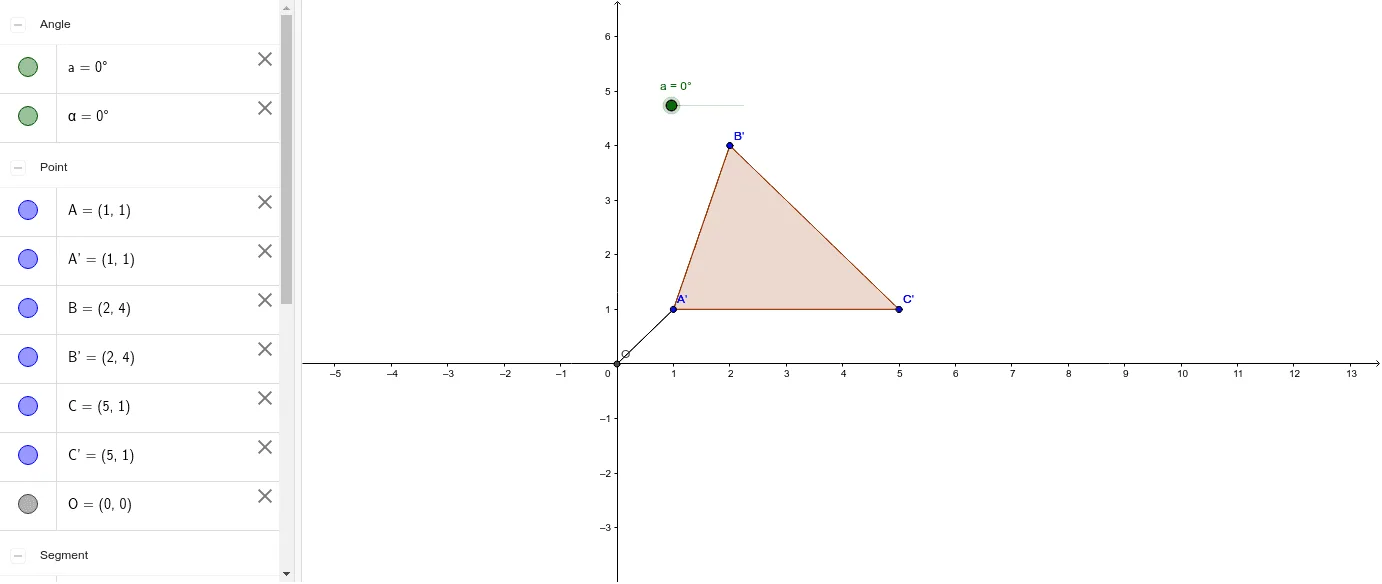
This GeoGebra example dynamically rotates a triangle about the origin to help students discover the coordinate rules for 90° and 180° rotations and their relationships with the original figure. It focuses on the geometric transformation of rotation, coordinate geometry, and angle measurement. The construction uses commands such as Polygon to create the triangle, Rotate to transform the triangle and its sides, Intersect to find key points, and Segment and Angle to label rotated edges and angles. Key objects include points A, B, C, the origin O, and the rotated triangle and its sides. This resource is ideal for middle or high school students learning transformation geometry, and for teachers demonstrating rotation rules in an interactive classroom setting.
GeoGebra Commands & Parameters
Polygon(A, B, C) → poly1, c, a_1, bIntersect(xAxis, yAxis) → ORotate(A, a, O) → A'Rotate(B, a, O) → B'Rotate(C, a, O) → C'Polygon(A', B', C') → poly1', c', a', b'Segment(A, O) → dSegment(O, A') → eAngle(A, O, A') → α
AI Drawing Prompt Reference
Draw a triangle and rotate it 90° and 180° clockwise around the origin, showing the rotated triangle and its relationship with the original, label key points and angles to observe coordinate changes.
The prompt above was compiled from the original drawing commands and is for reference only.