
Exploring Rotations in the Coordinate Plane by Scott Stark
Loading the math board and drawing, please wait…
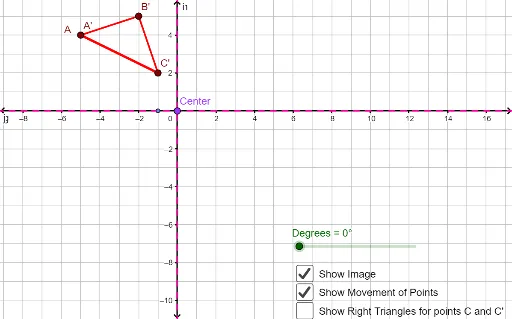
This example demonstrates rotations in the coordinate plane, focusing on the rotation of polygons and points. Key math concepts include rotation, coordinate geometry, and geometric transformations. Construction highlights the use of GeoGebra commands like Polygon, Rotate, CircleArc, Line to manipulate objects such as points A, B, C, polygon poly1, and arc c. Suitable for high school students learning coordinate geometry and transformations.
GeoGebra Commands & Parameters
Polygon(A, B, C) → poly1, c, a, bRotate(A, Degrees, Center) → A'Rotate(B, Degrees, Center) → B'Rotate(C, Degrees, Center) → C'Polygon(A', B', C') → poly1', c', a', b'CircleArc(Center, C, C') → dCircleArc(Center, B, B') → eCircleArc(Center, A, A') → fLine(D, E) → gLine(F, G) → hLine(F, G) → iLine(E, D) → jLine(Center, j) → kLine(Center, i) → lPolygon(Center, H, C) → poly2, c_1, center, h_1Rotate(Center, Degrees, Center) → Center'Rotate(H, Degrees, Center) → H'Rotate(C, Degrees, Center) → C'_1Polygon(Center', H', C'_1) → poly2', c'_1, center', h'
AI Drawing Prompt Reference
Draw an example in the coordinate plane to demonstrate rotations of polygons and points. Start by drawing a triangle, then rotate it around a center point and draw the rotated triangle. Next, draw circular arcs connecting the original and rotated vertices, and lines connecting these points. Finally, draw another rotated triangle and connect the center point to relevant line segments to show the rotation effect.
The prompt above was compiled from the original drawing commands and is for reference only.