
Exploring Integers with Thermometer Model by Ibrahim El Hage
Loading the math board and drawing, please wait…
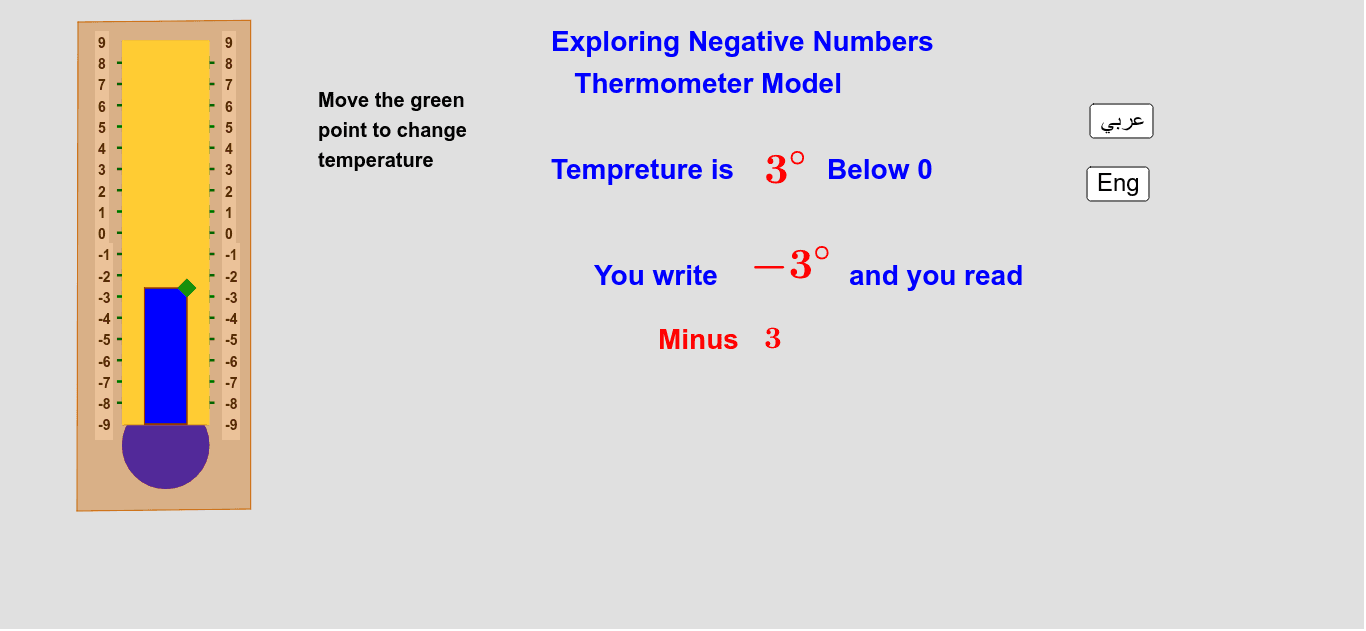
This example uses a thermometer model to explore negative numbers. By adjusting the temperature on the thermometer, one can intuitively understand the concept of negative numbers and their position on the number line. Key mathematical concepts include integers and their representation on the number line. Main GeoGebra commands used include Point, Segment, Polygon, Circle, and Sequence. Suitable for students from upper elementary to middle school, this example helps deepen the understanding of integer concepts.
GeoGebra Commands & Parameters
Point(q) → TSegment(A, C) → aSegment(B, D) → bSegment(B, A) → cSegment(D, C) → dPolygon(A, B, D, C) → poly1, a_1, b_1, d_1, c_1Circle(F, 1) → fPolygon(A, C, D, B) → poly2, a_2, c_2, d_2, b_2Sequence((x(A), y(A) + (k * e)), k, 1, 17) → list1Sequence((x(B), y(B) + (k * e)), k, 1, 17) → list3Polygon((-1.5, -4.5), (-1.5, y(T)), (-2.5, y(T)), (-2.5, -4.5)) → poly3, g, i, j, kSequence(Text[k, (x(A) + 0.4, y(A) - 0.15 + ((k + 9) * e))], k, -9, 9) → list2Sequence(Text[k, (x(B) - 0.6, y(B) - 0.15 + ((k + 9) * e))], k, -9, 9) → list4Polygon((-1.5, -4.5), (-1.5, y(T)), (-2.5, y(T)), (-2.5, -4.5)) → poly4, h, l, m, nCircle(F, 1) → pPolygon(E, G, H, I) → poly5, e_1, g_1, h_1, i_1