
Euler Line & Concurrency Points
Loading the math board and drawing, please wait…
In collections
Points of Concurrency of Triangles
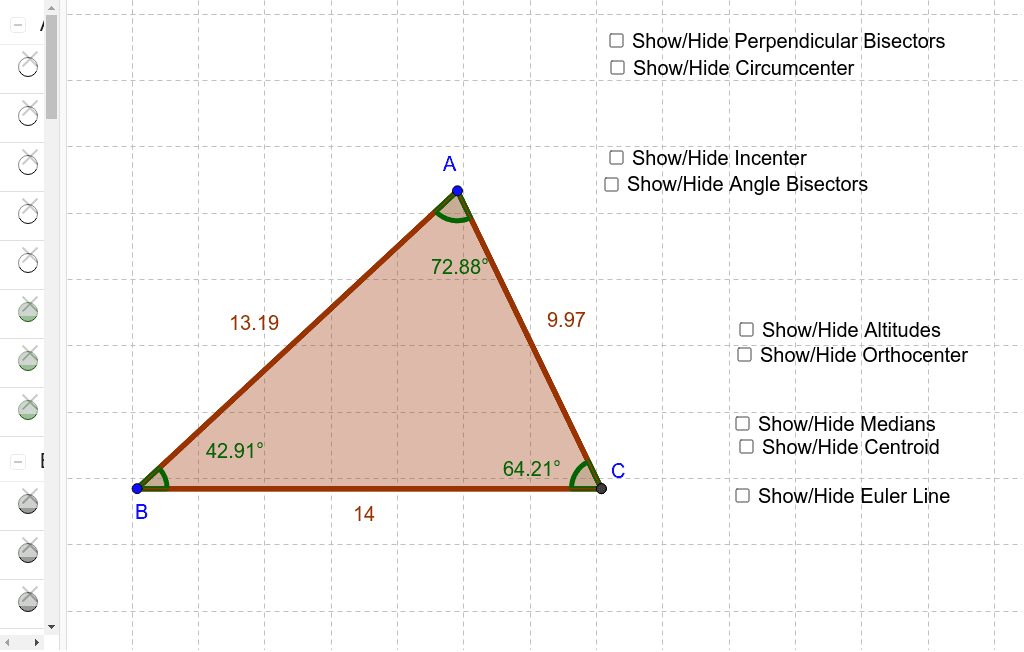
This example demonstrates how to construct the Euler Line using various concurrency points of a triangle, including the centroid, circumcenter, and orthocenter. Key math concepts involve triangle centers, Euler line properties, and geometric constructions. GeoGebra commands like Polygon, Circumcenter, Incenter, Orthocenter, Centroid, Line, Distance, and Angle are used to create and analyze the figure. Suitable for high school and advanced learners exploring geometric relationships and special points.
GeoGebra Commands & Parameters
Polygon(A, B, C) → poly1, c, a, bCircumcenter(A, B, C) → d, e, f, Ci, g, h, i, poly2Incenter(A, B, C) → poly3, l, m, n, p, q, r, I, α, βOrthocenter(A, B, C) → γ, δ, J, K, L, c_1, d_1, e_1, poly4, ε, t, a_1, b_1, O, G, H, I_1Centroid(A, B, C) → f_1, g_1, poly5, h_1, M, N, O_1, Ce, i_1, j_1, k_1Line(Ci, O) → n_1Distance(h, i) → p_1Angle(A, B, C) → ζAngle(A, C, B) → ηAngle(C, A, B) → θ
AI Drawing Prompt Reference
Draw a triangle ABC, then find its circumcenter, incenter, and orthocenter. Draw the Euler line connecting these points and measure the three interior angles of the triangle. Finally, connect the circumcenter and orthocenter to observe the properties of the Euler line.
The prompt above was compiled from the original drawing commands and is for reference only.