
Estimating and Adjusting Angles in Geometry
Loading the math board and drawing, please wait…
In collections
Wiederholung Winkel: Bezeichnung, Arten, Messen & Zeichnen
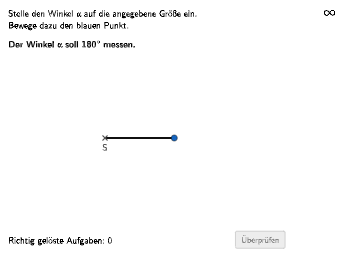
This example demonstrates how to estimate and adjust angles in geometric constructions. The key mathematical concepts involve angle measurement, triangle properties, and geometric construction techniques. Construction points include using GeoGebra commands such as Shuffle, Element, Point, Angle, etc. to create triangles and adjust angles. Suitable for middle or high school mathematics learning to understand geometric transformations and angle relationships.
GeoGebra Commands & Parameters
Shuffle(list) → l1, {20, 30, 6, 28, 3, 22, 14, 1, 7, 25, 13, 19, 27, 10, 11, 18, 23, 15, 24, 17, 12, 21, 4, 5, 8, 29, 16, 26, 9, 2}Element(l1, auswahl) → faktorPoint(Circle[S, 2.2]) → CPoint(Circle[S, 2.2]) → BAngle(B, S, C) → αTextfield(aInput) → InputBox1Textfield(bInput) → InputBox2Polygon(PtopLeftCornerFeedback, PtopRightCornerFeedback, PbottomRightCornerFeedback, PbottomLeftCornerFeedback) → rectangleCorrect, ptopleftcornerfeedback, ptoprightcornerfeedback, pbottomrightcornerfeedback, pbottomleftcornerfeedbackSegment(S, B) → fSegment(S, C) → gRotate(B, winkel, S) → B'Angle(B, S, B') → βSegment(S, B') → hRotate(B, winkel + 5°, S) → B'_{1}Angle(B, S, B'_{1}) → γRotate(B, winkel - 5°, S) → B'_{2}Angle(B, S, B'_{2}) → δCircleSector(S, B'_{2}, B'_{1}) → c
AI Drawing Prompt Reference
Draw a triangle with a circle centered at S, with a radius of 2.2. Draw the three sides of the triangle, each connected to the circle center. Then, adjust the triangle's angles based on user input values, and draw the adjusted triangle. Finally, draw a rectangle containing the adjusted triangle.
The prompt above was compiled from the original drawing commands and is for reference only.