
Dividing a Line Segment
Loading the math board and drawing, please wait…
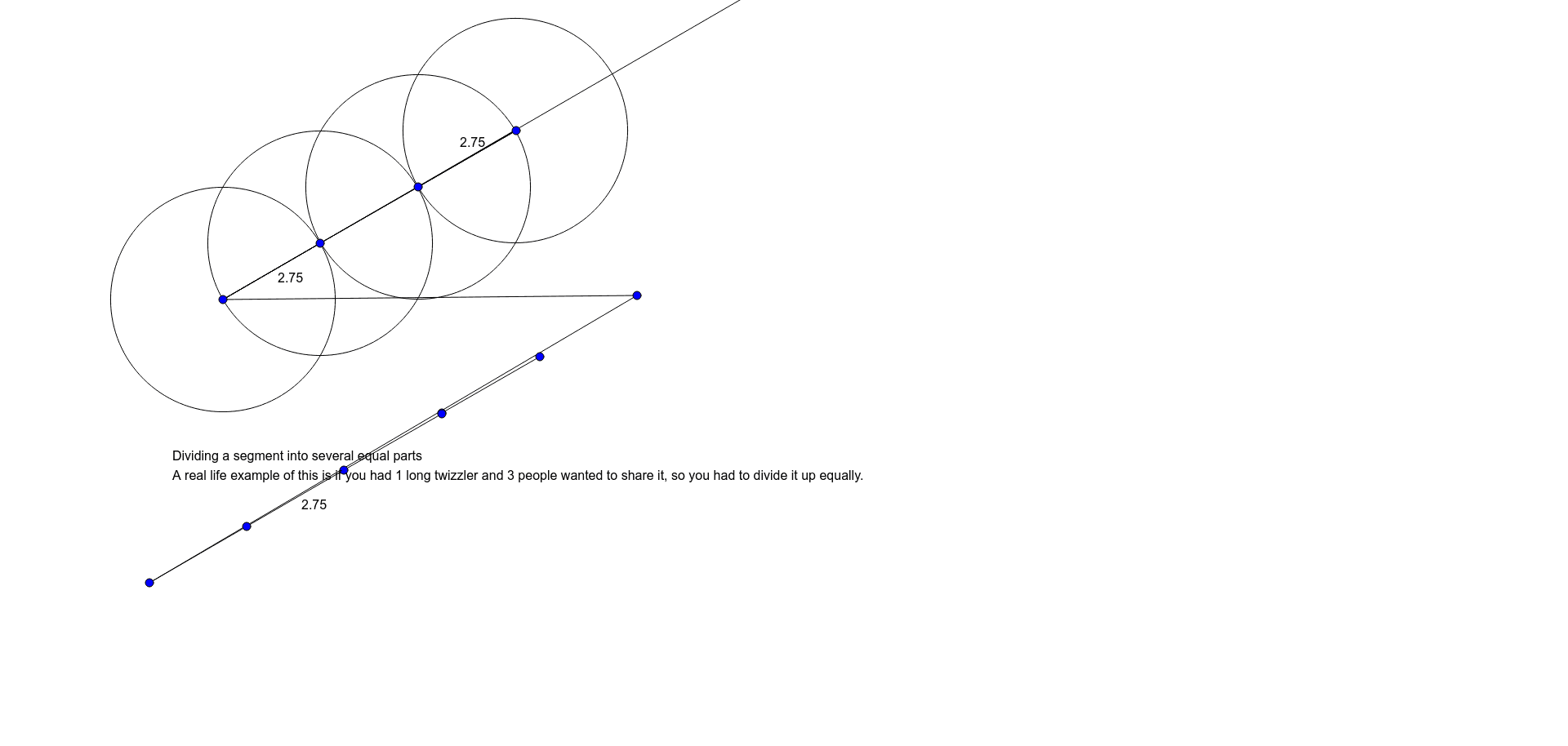
This example demonstrates how to divide a line segment into equal parts. It involves core mathematical concepts such as line segments, equal division, geometric construction, and coordinate geometry. Key GeoGebra commands and objects used include Segment, Ray, Circle, and Intersect. Suitable for high school and above students to understand methods of line segment division and their applications.
GeoGebra Commands & Parameters
Segment(A, B) → fRay(A, C) → gCircle(A, Segment[A, C]) → cRay(A_1, C_1) → g_1Circle(A_1, Segment[A_1, C_1]) → c_1Ray(A_2, C_2) → g_2Circle(A_2, Segment[A_2, C_2]) → c_2Ray(A_4, C_4) → g_3Circle(A_4, Segment[A_4, C_4]) → c_3Intersect(c_2, g, 2) → DSegment(B, E) → hSegment(A, C) → iRay(A_5, C_5) → g_4Segment(A_5, C_5) → i_1Segment(A, C) → jSegment(A, C) → kRay(A_7, C_6) → g_5Segment(A_7, C_6) → i_2Segment(A_7, C_6) → j_1Segment(A_7, C_6) → k_1Segment(A, C) → lSegment(D, A_2) → mRay(A_{10}, C_7) → g_6Ray(A_9, C_8) → g_7Circle(A_9, Segment[A_9, C_8]) → c_4Intersect(c_4, g_6, 2) → D_1Segment(A_{10}, C_7) → i_3Segment(A_{10}, C_7) → j_2Segment(A_{10}, C_7) → k_2Segment(A_{10}, C_7) → l_1Segment(D_1, A_9) → m_1Segment(C, A_2) → nSegment(C, A_2) → pSegment(C, A_2) → qSegment(C_9, A_{13}) → n_1Segment(C_9, A_{13}) → p_1Segment(C_9, A_{13}) → q_1Segment(A_2, A_{13}) → rSegment(A_2, A_{13}) → sSegment(A_{15}, A_{16}) → r_1Segment(A_{15}, A_{16}) → s_1Segment(A_{17}, A_{18}) → r_2Segment(A_{17}, A_{18}) → s_2
AI Drawing Prompt Reference
Draw a line segment and extend a ray from one end. Create circles with the segment as the diameter, then with intersections of these circles and the ray as centers, repeat to divide the segment equally. Connect the start point to each division point to show the equal parts.
The prompt above was compiled from the original drawing commands and is for reference only.