
Discovering the Coordinates of the Unit Circle
Loading the math board and drawing, please wait…
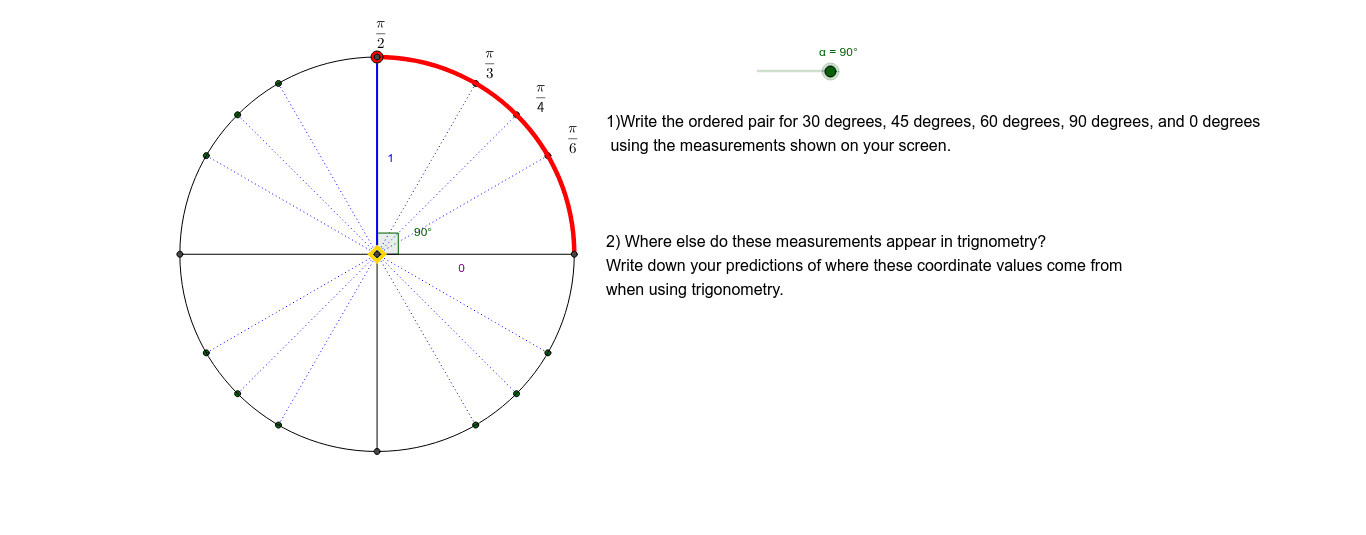
This example demonstrates how to find the coordinates of points on the unit circle using geometric constructions. Key mathematical concepts include the equation of a circle, coordinate systems, and similar triangles. Construction involves GeoGebra commands such as Intersect, Circle, Rotate, and others. Suitable for middle or high school mathematics education to understand basic circle properties and coordinate relationships.
GeoGebra Commands & Parameters
Intersect(xAxis, yAxis) → OCircle(O, 1) → cRotate(A, α, O) → PSequence(Rotate[A, ((90 * k) + 30)°, O], k, 0, 3) → list1Sequence(Rotate[A, ((90 * k) + 45)°, O], k, 0, 3) → list2Sequence(Rotate[A, ((90 * k) + 60)°, O], k, 0, 3) → list3Segment(A, C) → aSegment(B, D) → bSequence(Segment[O, Element[list1, k]], k, 1, 4) → list4Sequence(Segment[O, Element[list2, k]], k, 1, 4) → list5Sequence(Segment[O, Element[list3, k]], k, 1, 4) → list6Angle(A, O, P) → θCircleArc(O, A, P) → lCircle(O, 1) → dOrthogonalLine(P, a) → eIntersect(e, a) → EDistance(O, E) → distanceOEDistance(P, E) → distancePESegment(P, E) → fSegment(O, E) → gDistance(P, E) → hDistance(O, E) → iDistance(O, E) → jMidpoint(O, E) →
AI Drawing Prompt Reference
Draw a unit circle and mark the intersection point of the coordinate axes. From the center, divide the circle into equal parts and rotate a point to get multiple points. Connect these points to the center and draw rays from the center to the points on the circle. Measure and display the distance from each point to the center, as well as the angle between the line connecting the center to the point and the horizontal axis. Finally, draw perpendicular lines from the center to the points on the circle and label the distances from the center to the feet of the perpendiculars.
The prompt above was compiled from the original drawing commands and is for reference only.