
Dilation Demonstration by Mike Manley
Loading the math board and drawing, please wait…
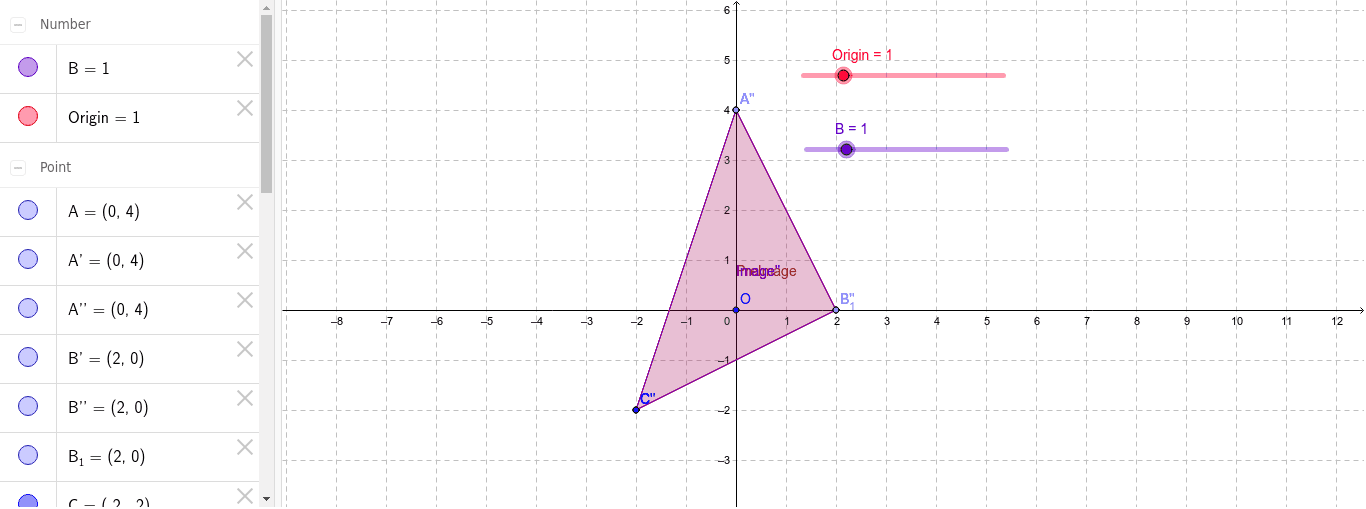
This example demonstrates dilation transformations from the origin and from a vertex of a triangle. It involves core math concepts like dilation, matrices, and coordinate geometry. Constructed using commands like Point, Polygon, and Dilate, it is suitable for high school students learning geometric transformations.
GeoGebra Commands & Parameters
Point(yAxis) → APoint(xAxis) → B_1Polygon(A, B_1, C) → PreImage, c, a, bDilate(A, Origin, O) → A'Dilate(B_1, Origin, O) → B'Dilate(C, Origin, O) → C'Polygon(A', B', C') → Image', c', a', b'Dilate(A, B, B_1) → A''Dilate(B_1, B, B_1) → B''Dilate(C, B, B_1) → C''Polygon(A'', B'', C'') → Image'', c'_1, a'_1, b'_1
AI Drawing Prompt Reference
Draw a triangle ABC, then perform an enlargement transformation centered at the origin O to get a new triangle A'B'C'. Next, perform an enlargement transformation centered at point B to get another new triangle A''B''C''. Make sure to show the original triangle, the first enlarged triangle, and the second enlarged triangle.
The prompt above was compiled from the original drawing commands and is for reference only.