
Difference of Two Line Segments by hrawson20 (2)
Loading the math board and drawing, please wait…
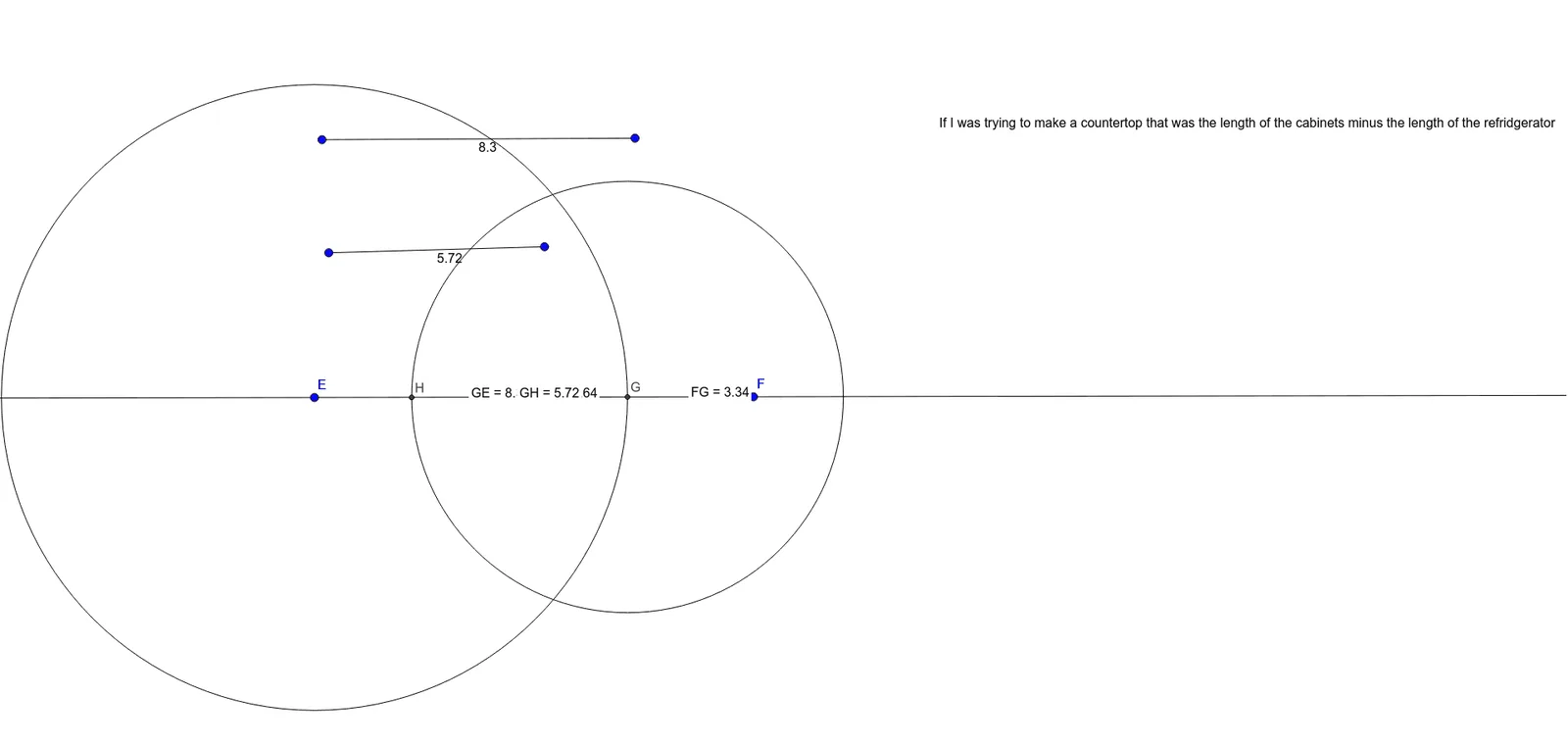
This example demonstrates the difference between two line segments, focusing on intersection points and geometric constructions. It involves core concepts like line segments, straight lines, parametric curves, circle intersections, incircle, and geometric construction. Key GeoGebra commands used include Segment, Line, Circle, Intersect, and Distance to create objects and calculate distances. Suitable for high school mathematics education, illustrating the integration of analytical geometry and geometric constructions.
GeoGebra Commands & Parameters
Segment(A, B) → fSegment(C, D) → gLine(E, F) → hCircle(E, Segment[A, B]) → cIntersect(c, h, 2) → GCircle(G, Segment[C, D]) → dDistance(f, g) → aDistance(F, G) → distanceFGDistance(F, E) → distanceFEDistance(G, E) → distanceGEIntersect(d, h, 1) → HDistance(G, H) → distanceGH
AI Drawing Prompt Reference
Draw two line segments and their difference, highlighting intersection points and geometric constructions. Start by drawing two line segments and a straight line. Create a circle with one segment as the radius and one endpoint as the center, intersecting the line at two points. Then, draw another circle with the other segment's endpoint as the center and the segment as the radius, intersecting the line at one point. Calculate the length difference between the two segments, and the distances from the intersection points of the first circle to the line and its center, as well as from the intersection point of the second circle to the line and its center. Finally, calculate the distance between the intersection points of the first and second circles.
The prompt above was compiled from the original drawing commands and is for reference only.